1
PC-CAM 900 QSB.book Page 1 Thursday, December 4, 2003 2:07 PM
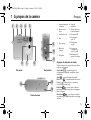
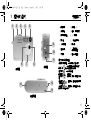
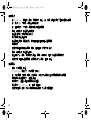
1 About Your Camera
1
2
3
4
English
5
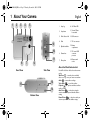
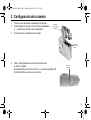
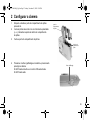
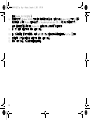
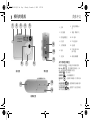
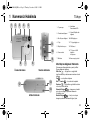
1. Strap lug
8. Self-Timer LED
2. Snap button
9. Normal / Macro
focus switch
3. Mode Selector dial
10. USB connector
4. Flash
11. TV out connector
5. Optical viewfinder
12. Battery
compartment
6. Camera lens
13. TV out and USB
connector
protector
7. Microphone
14. Camera-stand
socket
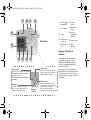
9
10
11
8
7
6
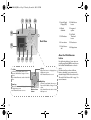
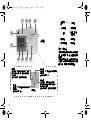
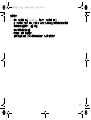
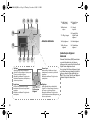
About the Mode Selector dial
Front View
Side View
13
12
14
Bottom View
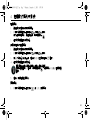
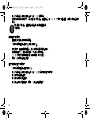
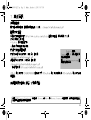
Use the Mode Selector dial to select these camera
modes:
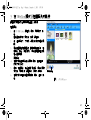
Web Cam
— transfer photos and audio/
video recordings, or use your camera as a webcam
Audio
— create audio recordings
Video mode
— record short videos
Playback
— view photos and videos and hear
audio recordings
Auto Photo
— take photos using the
camera’s automatic exposure and white balance
settings
Manual Photo
— take photos with your
custom exposure and white balance settings
1