1
NEDERLANDS
g)
snijdranden lopen minder snel vast en zijn
gemakkelijker te beheersen.
Gebruik het elektrische gereedschap, de
accessoires en gereedschapsonderdelen
enz. in overeenstemming met deze
instructies, waarbij u rekening houdt
met de werkomstandigheden en de
werkzaamheden die dienen te worden
uitgevoerd. Gebruik van het elektrische
gereedschap voor werkzaamheden die
anders zijn dan het bedoelde gebruik, kunnen
leiden tot een gevaarlijke situatie.
5) GEBRUIK EN VERZORGING VAN GEREEDSCHAP OP
ACCU
a) Gebruik alleen de lader die door de
fabrikant wordt opgegeven. Een lader die
geschikt is voor één accutype, kan een risico
op brand veroorzaken indien gebruikt met
een andere accu.
b) Gebruik elektrische gereedschappen
uitsluitend met speciaal omschreven
accu’s. Gebruik van andere accu’s kan leiden
tot letsel en brandgevaar.
c) Als de accu niet in gebruik is, dient u
deze uit de buurt te houden van andere
metalen voorwerpen zoals paperclips,
munten, sleutels, spijkers, schroeven of
andere kleine metalen voorwerpen die
een verbinding van het ene contactpunt
met het andere kunnen maken. Het
kortsluiten van de accucontactpunten samen
kan brandwonden of brand veroorzaken.
d) Als het gereedschap te zwaar wordt
belast, kan er vloeistof uit de accu
lekken; vermijd contact hiermee. Als u
per ongeluk hier toch mee in contact
komt, spoelt u met water. Als de vloeistof
in contact met de ogen komt, dient u
daarnaast medische hulp in te roepen.
Vloeistof afkomstig uit de accu kan irritatie of
brandwonden veroorzaken.
6) SERVICE
a) Zorg dat u gereedschap wordt
onderhouden door een erkende
reparateur die uitsluitend identieke
vervangende onderdelen gebruikt. Dit
zorgt ervoor dat de veiligheid van het
gereedschap blijft gegarandeerd.
Aanvullende Speciale
Veiligheidsregels voor
slagmoersleutels/Schroevendraaiers
• Houd het gereedschap alleen vast
aan geïsoleerde oppervlakken als u
een handeling uitvoert waarbij het
bevestigingsmateriaal in contact kan
komen met verborgen bedrading.
Bevestigingsmaterialen die in contact komen
met bedrading die onder stroom staat, kunnen
metalen onderdelen van het gereedschap onder
stroom zetten en de gebruiker een elektrische
schok geven.
Overige risico’s
Ondanks het toepassen van de relevante
veiligheidsvoorschriften en het toepassen van
veiligheidsapparaten kunnen sommige overige
risico’s niet worden vermeden. Dit zijn:
– Gehoorbeschadiging.
– Risico op persoonlijk letsel door rondvliegende
deeltjes.
– Risico op brandwonden als gevolg van
accessoires die tijdens het gebruik heet worden.
– Risico op persoonlijk letsel als gevolg van
langdurig gebruik..
Markering op het gereedschap
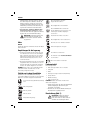
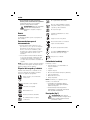
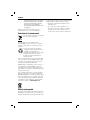
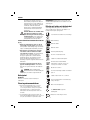
De volgende pictogrammen staan op het
gereedschap vermeld:
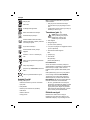
Lees gebruiksaanwijzing voor gebruik.
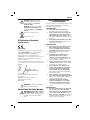
POSITIE DATUMCODE
De datumcode, die ook het jaar van fabricage
bevat, staat afgedrukt in de behuizing die het
verbindingsstuk tussen het gereedschap en de accu
vormt.
Voorbeeld:
2011 XX XX
Jaar van fabricage
Belangrijke veiligheidsinstructies
voor alle acculaders
BEWAAR DEZE INSTRUCTIES: Deze handleiding
bevat belangrijke veiligheids- en bedieningsinstructies
voor de acculaders DCB100 en DCB105.
• Lees voordat u de lader gebruikt, alle instructies
en aanwijzingen voor de veiligheid op de lader,
de accu en het product dat de accu gebruikt.
WAARSCHUWING: Gevaar voor
elektrische schok. Laat geen vloeistof in
de lader dringen. Dit zou kunnen leiden
tot een elektrische schok.
VOORZICHTIG: Gevaar voor
brandwonden. Beperk het risico van
letsel, laad alleen oplaadbare accu’s
75