1
SELF-TIMER
Used for self-portraits, the self-timer will delay the release of the shutter for approximately ten
seconds after the shutter-release button is pressed. The self-timer is set with the drive-mode button
(p. 32).
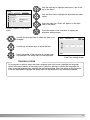
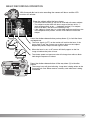
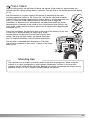
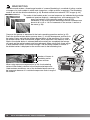
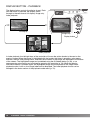
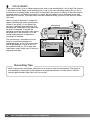
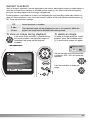
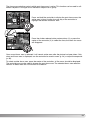
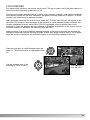
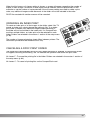
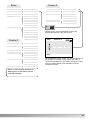
With the camera on a tripod, compose the picture as described in the basic
recording operation section (p. 25). Focus lock ( 26) can be used with off-center
subjects. Press the shutter-release button partway down to lock the exposure and
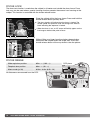
focus (1). Press the shutter-release button all the way down to begin the
countdown (2). Because focus and exposure are determined when the shutterrelease button is pressed, do not stand in front of the camera when taking a selftimer image. Always confirm the focus with the focus signals before beginning the
countdown (p. 27).
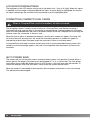
1
2
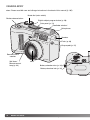
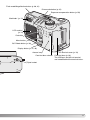
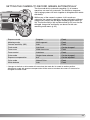
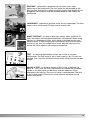
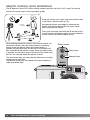
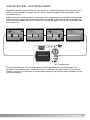
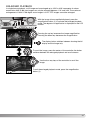
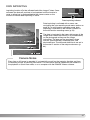
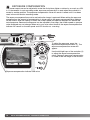
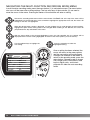
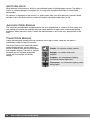
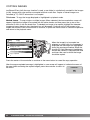
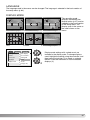
During the countdown, the self-timer lamp on the front of the camera (3) will start
to blink and is accompanied by an audio signal. A few
seconds before the exposure, the self-timer lamp will blink
rapidly. The lamp will glow steadily just before the shutter
fires. To stop the countdown, press the drive-mode button.
The self-timer is canceled after the exposure. The audio
signal can be turned off in the custom 1 section of the setup
menu (p. 84).
3
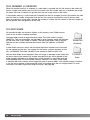
Shooting tips
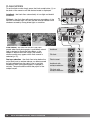
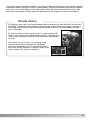
The self-timer can be used to minimize camera shake with long exposures. When using the
camera on a tripod, photographs of static subjects (landscapes, still-lifes, or close-up photographs) can be made with the self-timer. Because no contact is made with the camera during
exposure, there is no risk of camera shake caused by the operator.
33