1
M33 EVB User Guide
Contents
0. Revision History ...........................................................................................................................5
1. Introduction...................................................................................................................................6
1.1. Related Documents .............................................................................................................6
1.2. Safety Caution .....................................................................................................................6
2. EVB Kit Introduction....................................................................................................................8
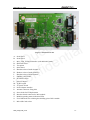
2.1. EVB Top and Bottom View ................................................................................................8
2.2. EVB Accessories ...............................................................................................................10
3. Interface Application...................................................................................................................12
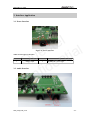
3.1. Power Interface .................................................................................................................12
3.2. Audio Interface..................................................................................................................12
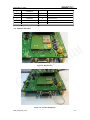
3.3. SIM Card Interface............................................................................................................13
3.4. Antenna Interface ..............................................................................................................14
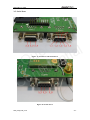
3.5. Serial Ports ........................................................................................................................15
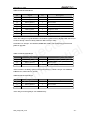
3.6. Switches and Buttons ........................................................................................................17
3.7. Operating Status LED .......................................................................................................18
3.8. Test Points.........................................................................................................................19
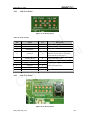
3.8.1 J104 Test Points.......................................................................................................19
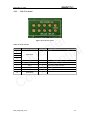
3.8.2 J105 Test Points.......................................................................................................20
3.8.3 J102 Test Points.......................................................................................................20
3.8.4 J108 Test Points.......................................................................................................21
3.8.5 J103 Test Points.......................................................................................................22
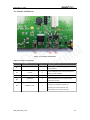
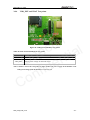
3.8.6 VDD_EXT and VBAT Test points ..........................................................................23
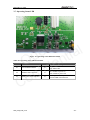
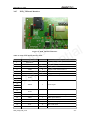
3.8.7 EVB_TE Board Interface ........................................................................................24
4. EVB and Accessories..................................................................................................................26
5. Illustration ...................................................................................................................................28
5.1. Power on Operations .........................................................................................................28
5.2. Communicate with the Module .........................................................................................28
5.3. Use Camera Function of the Module ................................................................................28
5.4. Firmware Upgrade.............................................................................................................29
5.5. Turn off..............................................................................................................................29
5.6. Emergency off ...................................................................................................................29
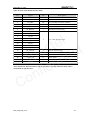
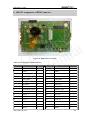
6. 100 PIN Assignment of B2B Connector .....................................................................................30
l
e
t
c
l
e
a
i
t
u
Q den
i
f
n
o
C
M33_EVB_UGD_V1.0
-2-