1
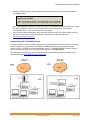
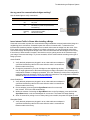
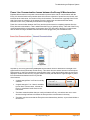
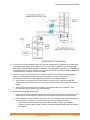
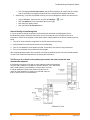
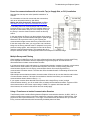
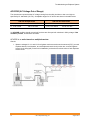
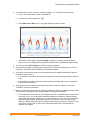
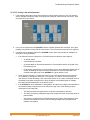
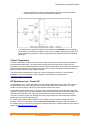
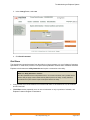
Troubleshooting an Enphase System 4. There may be a Phase imbalance. Have an electrician evaluate the circuit breakers in the load center to see how many breakers, and of what size, are on each of the two phases of the split-phase 240 VAC service to ensure that the phases are balanced. As a troubleshooting technique, you may want to try plugging the Envoy into an outlet of a circuit on the other phase or moving the breaker of the circuit in which the Envoy is plugged onto the other phase. 5. The system may not be energized The PV module powers the microinverter only during daylight hours, and microinverters communicate only when powered. Perform a device scan or communication check only during daylight hours. Check for the following conditions: Are the solar circuit breakers in the “ON” position? For the Envoy to communicate with the microinverters, the circuit breakers for the solar wiring must be in the “ON” position at the loadcenter. Are the PV modules installed and connected? PV modules power the microinverters, and microinverters cannot communicate unless powered. 6. Not all the microinverters are detected. 23 It may be that all of the expected devices have not been detected because not enough time has passed. After you first energize the system, allow at least 30 minutes for all devices to report. If the initial 8-hour scan has expired, start a new scan. You can start a new scan from Enlighten or from the Envoy. To initiate a communication from the Envoy, follow these steps: Press and hold the Envoy Menu button; after two seconds the Envoy menu displays. Continue to hold the Menu button; until the LCD window displays “Enable New Device Scan”, then release. 2014 Enphase Energy Inc. August 2014