1
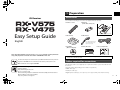
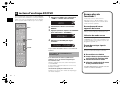
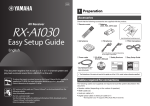
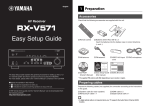
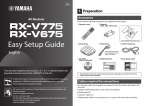
1 Preparation AV Receiver Accessories Check that the following accessories are supplied with the product. Remote control Easy Setup Guide Insert the batteries the right way round. AM antenna English FM antenna YPAO microphone *The supplied FM antenna varies depending on the region of purchase. CD-ROM (Owner’s Manual) This document explains how to set up a 5.1- or 7.1-channel system (RX-V575 only) and play back surround sound from a BD/DVD on the unit. Batteries (AAA, R03, UM-4) (x2) Safety Brochure Easy Setup Guide • The illustrations of the main unit and remote control used in this guide are of the RX-V575 (U.S.A. model), unless otherwise specified. To reduce the impact on natural resources, the Owner’s Manual for this product is supplied on CD-ROM. For more information about this product, refer to the Owner’s Manual on the supplied CD-ROM. PDF versions of this guide and “Owner’s Manual” can be downloaded from the following website. http://download.yamaha.com/ [For U.S. customers only] Visit the following website for additional information, FAQ’s, downloads such as “Owner’s Manual” and product updates. http://usa.yamaha.com/support/ Cables required for connections The following cables (not supplied) are required to build the system described in this document. • Speaker cables (depending on the number of speakers) • HDMI cable (x2) • Audio pin cable (x1) • Digital optical cable (x1) (not required if your TV supports ARC [Audio Return Channel]) En 1