1
Using QuickWin
Page 15 of 32
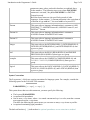
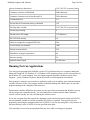
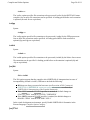
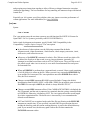
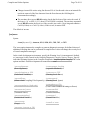
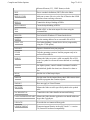
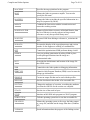
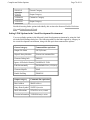
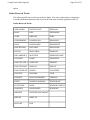
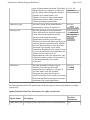
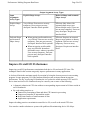
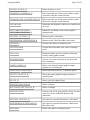
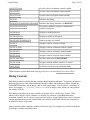
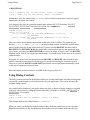
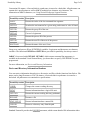
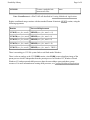
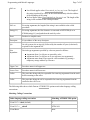
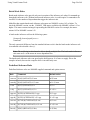
ELLIPSE, ELLIPSE_W
Draws an ellipse or circle
FLOODFILL, FLOODFILL_W
Fills an enclosed area of the screen with the current
color index using the current fill mask
FLOODFILLRGB, FLOODFILLRGB_W
Fills an enclosed area of the screen with the current
RGB color using the current fill mask
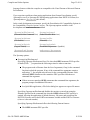
GETARCINFO
Determines the endpoints of the most recently drawn
arc or pie
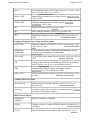
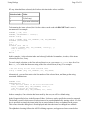
GETCURRENTPOSITION,
GETCURRENTPOSITION_W
Returns the coordinates of the current graphicsoutput position
GETPIXEL, GETPIXEL_W
Returns a pixel’s color index
GETPIXELRGB, GETPIXELRGB_W
Returns a pixel’s Red-Green-Blue color value
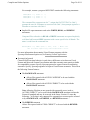
GETPIXELS
Gets the color indices of multiple pixels
GETPIXELSRGB
Gets the Red-Green-Blue color values of multiple
pixels
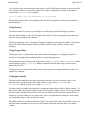
GRSTATUS
Returns the status (success or failure) of the most
recently called graphics routine
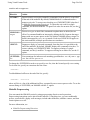
INTEGERTORGB
Convert a true color value into its red, green, and
blue components
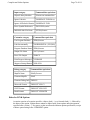
LINETO, LINETO_W
Draws a line from the current graphics-output
position to a specified point
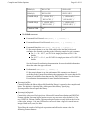
LINETOARR, LINETOAREX
Draws lines from arrays at x,y coordinate points
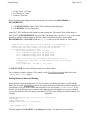
MOVETO, MOVETO_W
Moves the current graphics-output position to a
specified point
PIE, PIE_W
Draws a pie-slice-shaped figure
POLYGON, POLYGON_W
Draws a polygon
RECTANGLE, RECTANGLE_W
Draws a rectangle
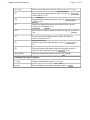
RGBTOINTEGER
Convert a trio of red, green, and blue values to a true
color value for use with RGB functions and
subroutines
SETPIXEL, SETPIXEL_W
Sets a pixel at a specified location to a color index
SETPIXELRGB, SETPIXELRGB_W
Sets a pixel at a specified location to a Red-GreenBlue color value
SETPIXELS
Set the color indices of multiple pixels