1
OPERATING INSTRUCTIONS
NOTE: Before using the tool, read the instruction
book carefully.
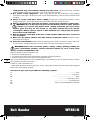
1. ON/OFF SWITCH
Depress to start and release to stop your tool.
Fig 1
2. SWITCH LOCK-ON BUTTON
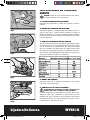
Depress on/off switch (1) then lock-on button (2) (See Fig
1) - release on/off switch first and lock-on button second.
Your switch is now locked on for continuous use. To
switch off your tool just depress and release the on/off
switch.
3. VARIABLE SPEED CONTROL DIAL
Adjust the variable speed control dial (3) to increase or
decrease the speed (See Fig 2) according to the material
and sanding belt specification to be used (also possible
during no load operation). See the table below for
general guidance on speed selection. Avoid prolonged
use at very low speed as this may damage your sander’s
motor.
Fig 2
08
Fig 3
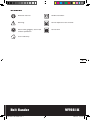
4. HAND GRIP AREAS
Always hold your belt sander firmly with both hands
when operating (See Fig 3).
5. CHANGING A SANDING BELT
Warning! Remove the power plug from the
socket before changing sanding belt.
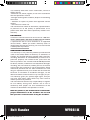
Pull the lever (5) to release the belt tension. Remove and
fit a new belt over both rollers (See Fig 4). Ensure the
direction of rotation arrows on the belt and the sander
are the same. Close the lever to tension the belt.
6. BELT CENTERING CONTROL
Warning! Wear eye protection before carrying
out a belt centering adjustment.
Fig 4
Belt Sander
NA-WT661k-M-050802.indd 8
WT661K
2005-8-2 10:53:10