1
Chapter 10. TKS Tool
Chapter 10. TKS Tool
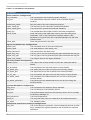
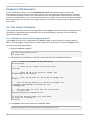
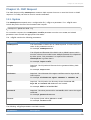
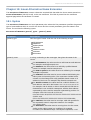
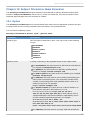
T he T KS utility, tkstool, manages keys, including keys stored on tokens, the T KS master key, and
related keys and databases.
10.1. Syntax
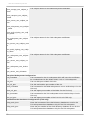
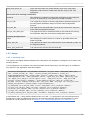
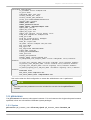
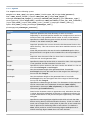
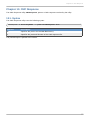
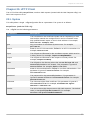
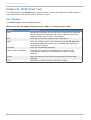
T he tkstool can be used to manage certificates and keys in several different ways. T he syntax for
these different operations is as follows:
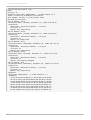
Deleting a key from a token.
tkstool -D -n keyname -d dbdir [-h token_name] [-p dbprefix] [-f pwfile]
Inputting shares to generate a new transport key.
tkstool -I -n keyname -d dbdir [-h token_name] [-p dbprefix] [-f pwfile]
Displaying the key check value (KCV) of the specified key.
tkstool -K -n keyname -d dbdir [-h token_name] [-p dbprefix] [-f pwfile]
Listing a specified key or all keys.
tkstool -L -n keyname -d dbdir [-h all | -h token_name]
[-p dbprefix] [-f pwfile] [-x]
Generating a new master key.
tkstool -M -n keyname -d dbdir [-h token_name] [-p dbprefix] [-f pwfile]
Creating a new key database.
tkstool -N -d dbdir [-p dbprefix] [-f pwfile]
Changing the key database password.
tkstool -P -d dbdir [-p dbprefix] [-f pwfile]
Renaming a symmetric key.
tkstool -R -n keyname -r new_keyname -d dbdir [-h token_name]
[-p dbprefix] [-f pwfile]
Listing all security modules.
tkstool -S -d dbdir [-p dbprefix] [-x]
Generating a new transport key.
tkstool -T -n keyname -d dbdir [-h token_name]
[-p dbprefix] [-f pwfile] [-z noiseFile]
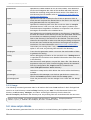
Unwrapping a wrapped master key.
45