1
SEC R220KW/K,230KW/K,209KK
OTHER CONVENIENT FEATURES
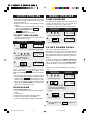
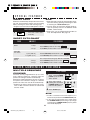
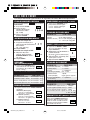
MINUTE PLUS
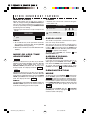
TIMER
Minute Plus allows you to cook for a minute at
100% by simply touching the MINUTE PLUS pad.
You can also extend cooking time in multiples of 1
minute by repeatedly touching the MINUTE PLUS
pad during manual cooking.
• Suppose you want to heat a cup of soup for one
minute.
• Suppose you want to time a 3-minute long distance phone call.
PROCEDURE
PROCEDURE
1
1
Enter time.
2
Touch TIMER pad.
Touch MINUTE PLUS
pad.
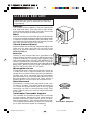
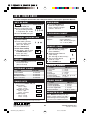
CHILD LOCK
The Child Lock prevents unwanted oven operation such as by small children.
The oven can be set so that the control panel is
deactivated or locked. To set, touch CLOCK, the
number 1 pad and then touch the START pad
and hold for 3 seconds. Should a pad be touched,
SA FE will appear in the display.
To cancel, touch CLOCK, the number 1 and
STOP/CLEAR pads.
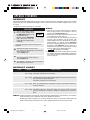
NOTE:
1. To use Minute Plus, touch pad within 3 minutes
after cooking, closing the door, touching STOP/
CLEAR pad or during cooking.
2. Minute Plus cannot be used with SPECIAL FEATURES.
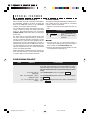
MORE OR LESS TIME
ADJUSTMENT
AUDIBLE SIGNAL
ELIMINATION
More
If you wish to have the oven operate with no audible signals, touch CLOCK, the number 5 and
then touch the START pad and hold for 3 seconds.
To cancel and restore the audible signal, touch
CLOCK, the number 5 and STOP/CLEAR pads.
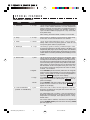
Should you discover that you like any of the DEFROST, POPCORN, REHEAT, COOK or SHORT
CUT settings slightly more done, touch the
POWER LEVEL pad once after touching your
choice of pads. The display will show PL US .
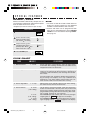
Less
DEMONSTRATION
MODE
Should you discover that you like any of the DEFROST, POPCORN, REHEAT, COOK or SHORT
CUT settings slightly less done, touch the POWER
LEVEL pad twice after touching your choice of
pads. The display will show LE SS .
To demonstrate, touch CLOCK, 0 pad and then
touch START pad and hold for 3 seconds.
S HO will appear in the display. Cooking operations and specific special features can now be demonstrated with no power in the oven. For example,
touch MINUTE PLUS pad and the display will show
1.00 and count down quickly to 0 and the
.
NOTE:
For DEFROST, POPCORN and SHORT CUTS, the
POWER LEVEL pad must be touched within 2
seconds of touching your choice of pads.
To cancel, touch CLOCK, then the 0 and STOP/
CLEAR pads. If easier, unplug the oven from the
electrical outlet and replug.
16
SEC R220_230_209K,P15-20
16
05.1.18, 8:56 AM