1
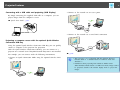
Connecting with a USB Cable and Projecting (USB Display)
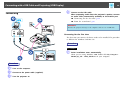
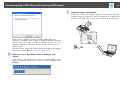
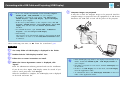
You can use the supplied USB cable to connect the projector to a computer
to project images from the computer. This function is called USB Display.
Simply by connecting via a USB cable, images from the computer can be
displayed.
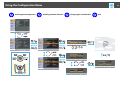
To activate the USB Display function, set USB Type B to USB Display from
the Extended menu in the Configuration Menu.
The following shows the default settings for USB Type B.
• EB-465i/455Wi: Off
• EB-460/450W: USB Display
For EB-465i/455Wi, the setting needs to be changed in advance.
s p.78
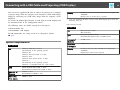
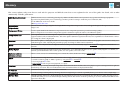
System Requirements
For Windows
OS
Windows 2000 Service Pack 4
The following 32 bit operating systems:
Windows XP
Windows XP Service Pack 2 or later
Windows Vista
Windows Vista Service Pack 1 or later
Windows 7
The following 64 bit operating systems:
Windows 7 (compatible with Ver. 1.50 or later*)
CPU
Mobile Pentium III 1.2GHz or faster
Recommended: Pentium M 1.6GHz or faster
Amount of
Memory
256MB or more
Recommended: 512MB or more
Hard Disk
Free Space
20MB or more
Display
*
23
Resolution of no lower than 640x480 and no higher than
1600x1200.
Display color of 16-bit color or greater
You can download the latest version of the USB Display driver from the
following Web site.
http://www.epson.com/
For Mac OS
OS
Mac OS X 10.5.1 or later
Mac OS X 10.6.x
CPU
Power PC G4 1GHz or faster
Recommended: Intel Core Duo 1.83GHz or faster
Amount of
Memory
512MB or more
Hard Disk
Free Space
20MB or more
Display
Resolution of no lower than 640x480 and no higher than
1680x1200.
Display color of 16-bit color or greater

























































![Epson EB-460 [240v] Enhanced Warranty Education](http://vs1.manualzilla.com/store/data/007232844_1-494e9cd377264c6fcf7922b0cc777270-150x150.png)