1
Section 3
General
Security
Password Protection
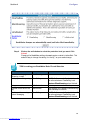
Access to your Cayman device is controlled through two access control
accounts, Admin or User.
•
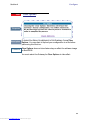
The Admin, or administrative user, performs all configuration, management or maintenance operations on the Gateway.
•
The User account provides monitor capability only.
A user may NOT change the configuration, perform upgrades or invoke
maintenance functions.
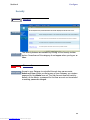
For the security of your connection, an Admin password must be set on the
Cayman unit.
Network Address Translation (NAT)
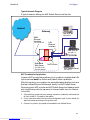
The Cayman Gateway Network Address Translation (NAT) security feature
lets you conceal the topology of a hard-wired Ethernet or wireless network
connected to its LAN interface from routers on networks connected to its
WAN interface. In other words, the end computer stations on your LAN are
invisible from the Internet.
Only a single WAN IP address is required to provide this security support
for your entire LAN.
LAN sites that communicate through an Internet Service Provider typically
enable NAT, since they usually purchase only one IP address from the ISP.
•
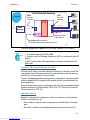
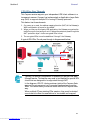
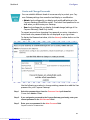
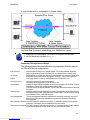
When NAT is ON, the Cayman Gateway “proxies” for the end computer stations on your network by pretending to be the originating host
for network communications from non-originating networks. The WAN
interface address is the only IP address exposed.
The Cayman Gateway tracks which local hosts are communicating with
which remote hosts. It routes packets received from remote networks to
the correct computer on the LAN (Ethernet A) interface.
•
When NAT is OFF, a Cayman Gateway acts as a traditional TCP/IP
router, all LAN computers/devices are exposed to the Internet.
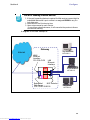
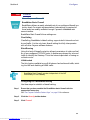
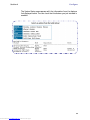
A diagram of a typical NAT-enabled LAN is shown below:
19
Downloaded from www.Manualslib.com manuals search engine