1
ETHERNET NETWORK INFORMATION
The Ethernet transmission uses the Cirrus Audio 'Cobranet' protocol, which is an
industry standard. It is a professional, highly-reliable system which packs audio data
into 'bundles' of 8 (or fewer) channels. The bundles are given numbers from 1 to
999. The first 255 are 'broadcast' bundles which can be received by any number of
receivers, so long as the receiver is set to the same bundle number. The rest are
'unicast' bundles, which will only be received by one receiver at a time. More
Cobranet info at: http://www.cobranet.info/en/support/cobranet/
There are two Audio Network ports on the rear panel of the ADX-2400. These are
redundant network connections, and either may be used. If desired, a redundant
network connection my be established by using the second port. If both are used,
the left-hand connector will be the primary, and the right the backup. If both links
are established, and one is lost, audio will continue uninterrupted.
The simplest network is simply connecting two ADX-series devices together. Note
that this type of connection requires a Crossover Cable, as the ports are not autosensing.
Most networks are established by using standard Ethernet switch(es). The switches
must support Layer 2 traffic. Each ADX unit must be connected to the switch on its
own port. If multiple switches are used, it is desirable for the switches to connect to
each other using gigabit Ethernet. A gigabit Ethernet link allows 700 or more audio
channels to be sent in each direction.
A 100base/T full duplex link allows 72
channels to be sent in each direction.
Switches with built-in fiber connectivity (SFP/GBIC) are readily available and provide
a powerful, inexpensive solution to fiber transmission requirements.
It is recommended that simple hubs not be used, although they will work if total
network traffic is limited to 48 channels (6 bundles total)
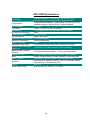
The indicators on the audio network ports provide an indication of port status, as
described below:
Yellow Indicator:
Steadily-lit if connector is active. (Does not indicate a link or
audio transmission). Flashing indicates that this unit is the
'conductor' or sync generator for the entire audio network.
Green Indicator:
Steadily-lit indicates an Ethernet link.
packet transmission/reception.
When audio is being transmitted, the normal condition is either:
Yellow On, Green Flashing (this unit not conductor)
or
Yellow Flashing, Green Flashing (this unit is conductor)
22
Flashing indicates