1
CHAPTER 2
CDR client offers three ways to search call records.
• CDR Search lets you define a search by the type of call, incoming or
outgoing. To perform this search, you must log in as the administrator.
• Group CDR lets you specify a search by workgroup. To perform this
search, you can log in as the administrator or as a workgroup
supervisor.
• WG Statistics lets you search workgroup call data captured from the
real-time monitoring functions in the Workgroup Statistics tab of the
AltiSupervisor client. To perform this search, you can log in as the
administrator or as a workgroup supervisor.
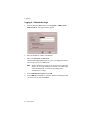
Logging In
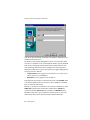
There are two ways to log in to CDR search:
Administrator login lets you perform all three types of searches described
above. To log in as an administrator, your extension must be designated as
the Manager Extension in AltiWare Administrator. See your system
administrator for details.
Workgroup supervisor login lets you run a Group CDR search or a WG
Statistics search. To log in as a workgroup supervisor, the option-pack
license must be installed on the server. For information on obtaining a
license, contact your authorized AltiGen dealer.
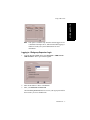
Before you log in
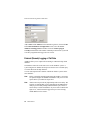
When you log in for the first time, you need to know either the IP address
or the name of the server you’ll be linking to. (If you use the server name
rather than the IP address, CDR Search replaces the name with the IP
address the next time you log in.)
To obtain the IP address, ask your system administrator.
Note:
If you are connecting to the Internet through a modem, establish a
connection from your PC to your ISP before you log in to CDR
search.
CDR Manual 5
Using CDR Search
Using CDR Search