1
List of Functions
91
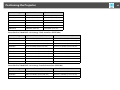
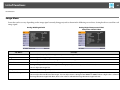
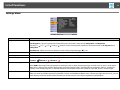
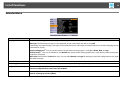
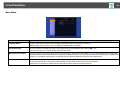
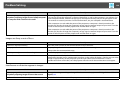
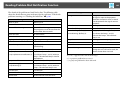
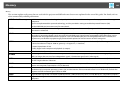
Mail Menu
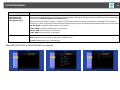
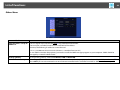
When this is set, you receive an e-mail notification if a problem or warning occurs in the projector. For information on the contents of the sent e-mail,
s p.144
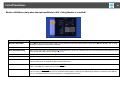
Sub Menu
Function
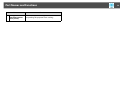
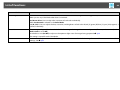
Mail Notification
You can set whether or not (On/Off) to be notified by e-mail.
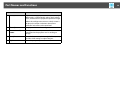
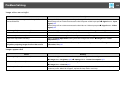
SMTP Server
You can input the IP addressg for the SMTP server for the projector.
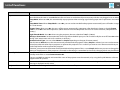
You can input a number from 0 to 255 in each field of the address. However, the following IP addresses cannot be used.
127.x.x.x, 224.0.0.0 to 255.255.255.255 (where x is a number from 0 to 255)
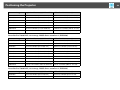
Port Number
You can input the port number for the SMTP server. The default value is 25. You can input numbers between 1 to 65535.
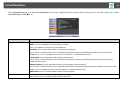
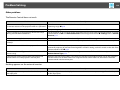
Email Address 1/Email
Address 2/Email Address
3
You can input the e-mail address of the destination to send the notification e-mail to. You can register up to three destinations. You
can enter up to 64 single-byte alphanumeric characters for the e-mail addresses. You cannot enter more than 32 characters on the
configuration menu. When setting from Web Control, you can enter more than 32 characters.
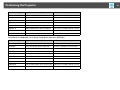
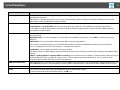
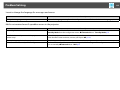
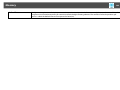
Setting a Notification
Event
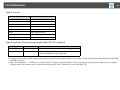
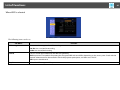
You can select the problems or warnings to be notified about by e-mail. When the selected problem or warning occurs in the
projector, an e-mail is sent to the specified Email Address notifying that a problem or warning has occurred. You can select
multiple items from the displayed items.