1
Quick Installation Guide
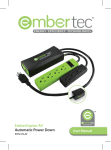
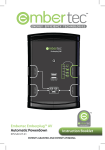
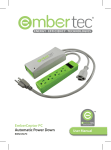
Setting Up the Embertec SmartSwitch™ AV(M)
1.Switch off the power at wall socket, unplug your existing
powerboard and then plug it into the ‘Power Saver Socket’.
2. Plug AV equipment that can automatically be switched off,
into the powerboard.
3.Identify equipment that requires constant power for
cool down period, timers, program guides and recording
features, and plug into the socket marked ‘Always On’,
or into another wall socket. A powerboard may also be
plugged into the "Always on" socket.
4. Connect the supplied SmartSensor cable to the underside of
the Embertec SmartSwitch™ AV(M). Ensure this is plugged in
firmly.
5. Place the SmartSensor in a convenient location that is in line
of sight. Close to your television is the best position, and
within normal operation of your existing remote control(s).
6. Plug the Embertec SmartSwitch™ AV(M) into a 230V or 240V
power point, and turn the power point on at the wall.
7. The LED monitoring light on the Embertec SmartSwitch™
AV(M) will now light up for 3 seconds and power is applied
to the power saver socket. This also indicates that the
SmartSwitch™ AV(M) has performed a load check.
2