1
English
2
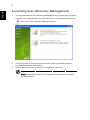
Launching Acer eRecovery Management
1
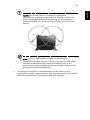
You may also launch Acer eRecovery Management by running the program
from the Acer program group in the Start menu, or by double-clicking the
icon if you have created a desktop shortcut.
2
You can choose to restore the system from a factory default image or
reinstall applications and drivers.
3
Follow the instructions on screen to complete the process.
Note: External optical disc drive required. Please see your retailer
for more details.