1
Troubleshooting
If you have difficulty with your telephone, please try the suggestions below. For
customer service, visit our website at businessphones.vtech.com or call
1 (888) 370-2006.
General issues
Screen is blank.
•
Ensure power is connected. If powered by an AC adapter, check that adapter
is plugged into a wall socket and the Deskset power jack. If powered by PoE,
ensure that the network switch is providing power through the correct ports.
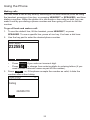
The DECT headset doesn’t register. “Registration failed” appears on the
screen.
•
Deregister the headset from the deskset to which it had been registered.
•
Remove and replace the headset in its charger before pressing Register on
the deskset.
Pages are not received.
•
Your phone can be configured to answer a page automatically. See your
system administrator if your phone doesn’t answer a page automatically.
Calls are answered on the headset rather than the speakerphone after I
press a Line key or Answer to answer a call.
•
Change the audio mode from Headset to Speaker. See “To set the audio
mode:” on page 62.
My computer can’t connect to the network after plugging the Ethernet cable
through the PC port.
•
Make sure the deskset is connected to power. The PC port does not work
when the deskset does not have power source or during a power outage.
•
Make sure you plug the Ethernet cable connected to the router into the
deskset Ethernet port and the Ethernet cable connected to the computer into
the deskset PC port.
My caller ID isn’t working.
•
Caller ID is a subscription service. Your telephone service provider may
require subscription to this service for this feature to work.
•
The caller must be calling from an area that supports caller ID.
•
Both your telephone service provider and your caller’s service provider must
use caller ID compatible equipment.
74