1
4Sight
71
Administrator Guide
Monitoring 4Sight using MG-SOFT MIB Browser
NOTE
This example is for windows only.
Once you have downloaded and installed the MIB Browser, follow these
steps to compile the two MIBs mentioned above:
1. From the Start>Program Files>MG-Soft MIB Browser menu, select MIB
Compiler.
2. Compile the MIB: go to the Tools>Batch Compile menu , select the
C:\Envivio\snmp\mibs folder and click OK .
3. Click the Save All button , then click OK . This will save all the
compiled MIBs in the correct folder for MIB Browser.
4. Exit the MIB compiler.
Your MIBs are now ready to be used in the MIB Browser.
Follow these steps to tell the MIB Browser which MIBs to use:
5. From the Start>Program Files>MG-Soft MIB Browser menu,
select MIB Browser.
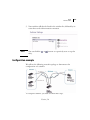
6. From the MIB tab, select the MIBs that you want to load from the
bottom panel, then click the up arrow to load them.
You need to select at least ENVIVIO-COMMON-MIB.txt and ENVIVIO4SIGHT-MIB.txt .
Version 5.0