1
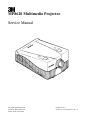
3M Multimedia Projector MP8620
1-5.
Adjustments
Return to Default Settings
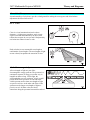
1. Power down the projector and turn the main power switch to off.
Press and hold both the Enter button and the Down Arrow button on the control panel
2. Turn the main power switch to on. The default settings are restored and the following message appears:
Parameter Factory Settings Restored.
Resetting a projector to its default factory setting may resolve a “no input detected” error message for an RGB
or video input device.
3M 1999
1-3