1
Xplorer can help locate failures detected in various components of
assorted equipment by recording an extended period of cycle-by-cycle
data to capture the entire duration of the fault and the associated system
response.
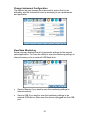
Energy & Demand Audits: Monitors demand and energy parameters
for energy audits, efficiency studies and cost reduction programs.
Long-Term Timed Readings: Performing a statistically valid power
quality energy survey requires the capture of a set of basic data over an
extended period of time. The Xplorer is designed to facilitate long-term
monitoring by collecting min/max/avg data at each predetermined
interval in order to perform post-process harmonic and other events
analysis. The Xplorer is also designed to be left unattended in the field,
recording statistically representative data for long-term analysis.
Continuous Data Logging: This logs the rms and power values once
per second for totally gapless logging. Cyclic triggers are disabled. No
waveforms are recorded under this monitoring mode.
Voltage Compliance (EN50160): EN50160 monitors and reports Quality
of Supply (QOS) compliance as specified by the EN standard. The seven
parameters required by EN50160 to determine QOS compliance are:
Power Frequency, Supply Voltage Variations, Rapid Voltage Changes,
Supply Voltage Unbalance, Harmonic Voltage, Interharmonic Voltage,
and Mains Signaling.
Motor Quality: Automatically sets up the parameters that affect the
operation of motors. Motor parameters include True Power Factor,
Horsepower and Derating Factor, among others.
NOTE: You can override the default settings in any of the above
monitoring modes to customize the instrument to your application.
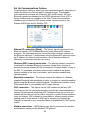
Limits Setup Options
After selecting a monitoring mode, the system is now ready to begin
monitoring and to record data in memory. Prior to actual monitoring, you
have the option to accept the default threshold settings and proceed with
monitoring, or to review and/or modify monitoring settings.
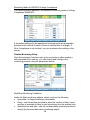
Trigger limits list the threshold parameters available for review or
modification. Experienced users are able to customize threshold settings
according to their applications. They can turn on or off any available
parameters and enter new threshold limits, as required.
31