1
Background Information
The Catalyst Express 500 Series Switches can only be managed through the embedded Device Manager GUI,
which is in the Catalyst Express switches, or with Cisco Network Assistant. Refer to Software Downloads (
registered customers only) to download Cisco Network Assistant.
The Device Manager is a graphical device management tool that configures, monitors, and troubleshoots the
switch. The simplest method to configure, manage, and monitor the switch is to use the Device Manager. You
can display the Device Manager from anywhere in your network through a web browser, such as Microsoft
Internet Explorer or Netscape Navigator.
Reset to Factory Defaults
The Catalyst Express 500 Series Switches can be set to factory defaults with two different procedures:
• Reset the Switch Using the Device Manager (recommended)
• Reset the Switch When the Device Manager Is Not Available
Reset the Switch Using the Device Manager
If you cannot solve a problem through the diagnostic report or by reconfiguring a feature, either a restart or
reset of the switch might help to solve the problem or help you to eliminate probable causes. Complete these
steps in order to use the Device Manager to reset the switch:
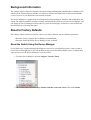
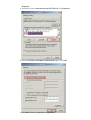
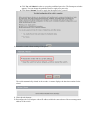
1. From the Device Manager, choose Configure > Restart / Reset.
2. Choose Reset the switch to factory defaults, and then restart the switch. Then click Submit.