1
ENGLISH
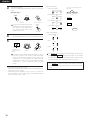
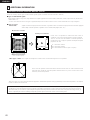
Setting the Test Tone
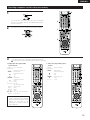
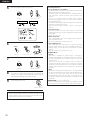
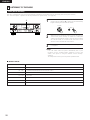
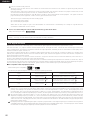
• Use this setting to adjust to that the playback level between the different channel is equal.
• From the listening position, listen to the test tones produced from the speakers to adjust the level.
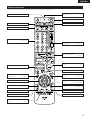
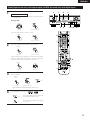
• The level can also be adjusted directly from the remote control unit. (For details, see page 45.)
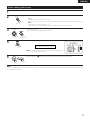
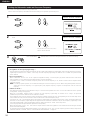
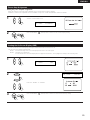
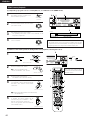
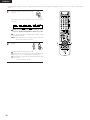
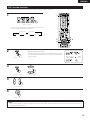
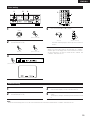
1
• Use the
(left) button to the Test Tone.
• Press the ENTER or
Assignment.
(down) button to switch to the Digital In
17 T.TONE
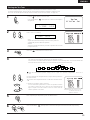
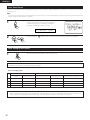
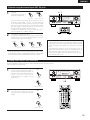
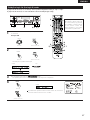
2
<YES
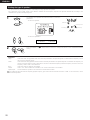
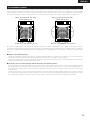
Set the mode.
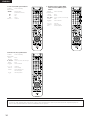
Select “Auto” or “Manual”.
T.TONE
AUTO
• Auto:
Adjust the level while listening to the test tones produced
automatically from the different speakers.
• Manual:
Select the speaker from which you want to produce the test tone
to adjust the level.
3
4
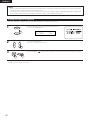
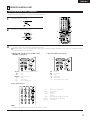
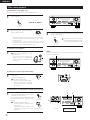
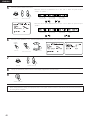
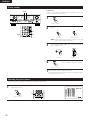
Press the
(down) button to start Test Tone.
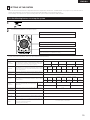
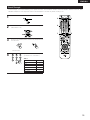
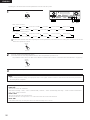
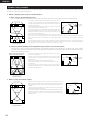
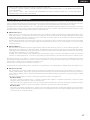
a. If the “Auto” mode is selected:
Test tones are automatically emitted from the different speakers.
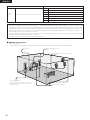
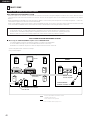
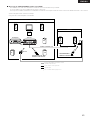
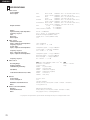
The test tones are emitted from the different speakers in the following order, at 4-second intervals the
first time and second time around, 2-second intervals the third time around and on:
SB
FL
C
FR
SR
SBR
1spkr
SBL
SL
SW
2spkrs
When the surround back speaker setting is set to “1spkr” for “Speaker Configuration”, this is set to
“SB”.
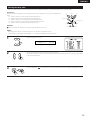
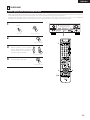
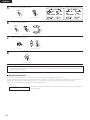
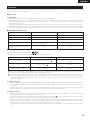
Use the CURSOR left and right buttons to adjust all the speakers to
the same volume.
The volume can be adjusted between –12 dB and +12 dB in units of
1 dB.
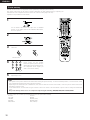
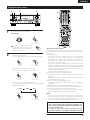
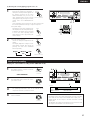
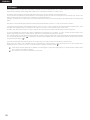
b. When the “Manual” mode is selected
Use the CURSOR up and down to select the speaker for which
you want to output test tones, then use the CURSOR left and
right to adjust so that the volume of the test tones from the
various speakers is the same.
5
6
Example: When the volume is set to
–12 dB while the Front Lch
speaker is selected
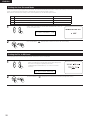
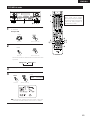
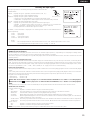
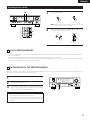
After completing the adjustment, press the ENTER button.
Press the ENTER or
(down) button to enter the setting and switch the DIGITAL input setting.
25