1
WI-MOD-E-100 & WI-MOD-E-300 Wireless Ethernet
3.7
User Manual
Normal Operation
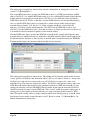
After addresses are configured, the units are ready for operation.
Refer to section 1 for an explanation on the operation of a Bridge and Router.
Transparent Bridge Operation
Bridges are typically used to connect sections of the same IP network together.
By default, the WI-MOD-E is configured as a transparent bridge. When a transparent bridge is
started, it learns the location of other devices by monitoring the source address of all incoming
traffic. Initially it forwards all traffic between the wired Ethernet port and the wireless port, however
by keeping a list of devices heard on each port, the transparent bridge can decide which traffic must
be forwarded between ports - it will only transfer a message from the wired port to the wireless
port if it is required.
A bridge will forward all Broadcast traffic between the wired and wireless ports. If the wired
network is busy with broadcast traffic, the radio network on the WI-MOD-E can be unnecessarily
overburdened. Filtering may be used to reduce broadcast traffic sent over the radio. Refer Section
3.12 for how to configure a filter.
By default, a transparent bridge does not handle loops within the network. There must be a single
path to each device on the network. Loops in the network will cause the same data to be continually
passed around that loop. Redundant wireless links may be set up by enabling the bridge Spanning
Tree Protocol (see section “3.9 Spanning Tree Protocol” for more details).
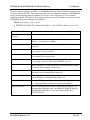
3 or 4 Address Mode
There are two different operating modes that affect bridge operation for a WI-MOD-E client/station
– “3-Address Mode” or “4-Address Mode”.
“3-address mode” must be used by WI-MOD-E clients when they have to communicate
with third party (non- WI-MOD-E) Access Points.
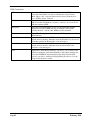
If communicating with Elpro WI-MOD-E-A/G Ethernet modems then the WI-MOD-E’s need to
be configured with WDS (4 address mode), not the default “3-address mode” unless the WI-MODE is a client.
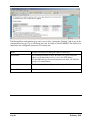
However, “4-address mode” (which is also used for multiple Access Point Repeaters), may be used
by WI-MOD-E clients when they communicate with other WI-MOD-E Access Points. Address
mode configuration can be altered via the Repeaters configuration page.
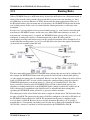
When 3-address mode is used it is not possible for a WI-MOD-E client to transmit over the radio
link the MAC address of any device connected to its wired Ethernet port. Therefore, the WI-MODE client must act as a proxy for devices lying on its wired Ethernet port, and use its own MAC
address on their behalf. To do this, it analyzes the IP addresses within the Ethernet frame body and
builds a lookup table so that when radio traffic is received it can lookup the device MAC address
based on its IP address.
This functionality is referred to as Layer 3 Bridge. Note that because the layer 3 bridge relies on IP,
it is only suitable for bridging Ethernet frames from devices that communicate using IP. For this
reason the bridge Spanning Tree Protocol can not be used with 3-address mode. When a WI-MODWI-MOD-E Manual v1.10
Page 30