1
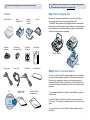
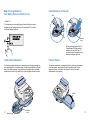
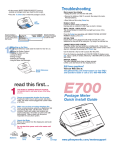
Step 3 Connect via Phone Line
(If you have chosen to connect to the Pitney Bowes Data Center with a
telephone line.)
Select a location for the meter near an analog phone line and connect the
phone cord between the back of your meter and an analog phone jack.
i
Phone
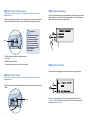
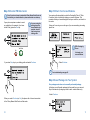
Step 5 Select Language
After the system powers up and completes its self-checks, the screen
will prompt you to select the language you wish to use. Simply press
the small round button next to your choice.
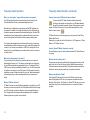
Important:
Phone systems installed
in some businesses
are not analog and may
damage your system.
If you are unsure about
your phone line, contact
your telephone company
or local network
administrator.
The following are usually analog phone lines:
• Fax lines
• Residential phone lines
• Lines used by modems or credit card readers
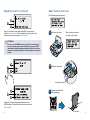
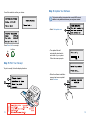
Step 6 Set Local Time
After selecting a language, you have to set the correct local time.
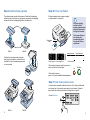
Step 4 Connect Power
(If you have chosen to connect to the Pitney Bowes Data Center with a
telephone line.)
Connect the power cord between the back of your meter and a convenient
outlet.
HH:
Power
2
If the hour value displayed (HH) is correct, simply select OK and
Continue. If the hour value is wrong, key in the correct value before
pressing OK and Continue.
3