1
SpectraLink Corporation
Configuration and Administration—NetLink e340/i640 Wireless Telephone
Mitel Networks 3300 and SX-200 ICP and 5220 IP Phone emulation
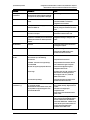
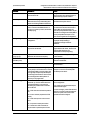
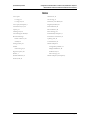
Table of Contents
1. About This Document
1.1
1.2
1.3
Referenced Documents
Customer Support Hotline
Icons and Conventions
2. NetLink e340/h340/i640 Wireless Telephone Overview
2.1
2.2
2.3
2.4
QoS and Security
Quick Start Guide
System Diagram
System Components
3. The NetLink Wireless Telephone
3.1
3.2
3.3
3.4
3.5
Specifications
The Display
Startup Sequence
Handset Modes
NetLink Wireless Telephone Displays
4. NetLink Wireless Telephone Configuration
4.1
4.2
The Admin Menu
User-defined Preferences
5. License Management
5.1
5.2
Requirements
Configuration Process
4
4
4
4
5
5
6
7
8
10
10
11
13
14
15
16
16
25
31
31
31
6. Mitel Networks VoIP Integration Factors
33
7. Feature Programming
35
7.1
7.2
Feature Assignment
Feature Access
36
37
8. Testing a Handset
40
9. Diagnostic Tools
41
9.1
9.2
9.3
Run Site Survey
Diagnostics Mode
Syslog Mode
10. Certifying the NetLink Wireless Telephones
10.1
Conducting a Site Survey
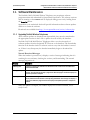
11. Software Maintenance
11.1
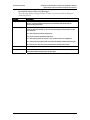
Upgrading NetLink Wireless Telephones
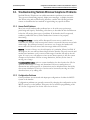
12. Troubleshooting NetLink Wireless Telephone Problems
12.1
12.2
12.3
Access Point Problems
Configuration Problems
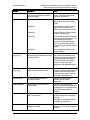
NetLink Wireless Telephone Status Messages
PN: 72-1084-02-E.doc
41
43
46
48
48
49
49
51
51
51
52
Page 3