1
Product Description
Status LEDs
The AT-MC601 and AT-MC602 network extenders feature the following
status LEDs:
❑ Power
❑ Ethernet: link and activity
❑ VDSL Line: link and error
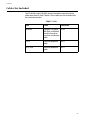
Table 4 defines the LEDs for the AT-MC601 and AT-MC602 network
extenders.
Table 4 Status LEDs
Table 5
LED
Color
Description
PWR
Green
Power is applied to the unit.
10/100Base-TX Port
LINK
Green
A link has been established on the port.
ACT
Green
Data is being received on the ports.
ERR
Green
An error has been detected on the port.
LINK
Green
A link has been established on the port.
LINE Port
MGMT Port
The management port features a 8-pin DIN connector for connecting
the network extenders to your laptop or PC-compatible computer for
configuration using the provided management cable.
16