1
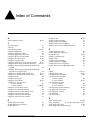
Contents
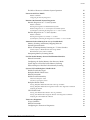
The Role of Processes to Monitor System Operation
Power On Self Test (POST)
Related Commands
Configuring the Boot-Up Diagnostics
Runtime (On-Demand) System Diagnostics
Runtime Diagnostics on “i” Series Systems
Related Commands
Running the Diagnostics on BlackDiamond Systems
Runtime Diagnostics on “i” Series Alpine and Summit Systems
System Impact of Running the Diagnostics on “i” Series Switches
Runtime Diagnostics on “e” Series Systems
Related Commands
Running the Diagnostics on Summit “e” Switches
System Impact of Running the Diagnostics on Summit “e” Series Switches
Automatic Packet Memory Scan (via sys-health-check)
Memory Scanning and Memory Mapping Behavior
Limited Operation Mode
Effects of Running Memory Scanning on “i” Series Switches
Summit, Alpine, or BlackDiamond with a Single MSM
BlackDiamond System with Two MSMs
Interpreting Memory Scanning Results
55
56
56
56
57
57
58
58
58
59
59
60
60
60
60
61
64
64
64
64
66
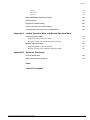
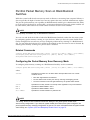
Per-Slot Packet Memory Scan on BlackDiamond Switches
Related Commands
Configuring the Packet Memory Scan Recovery Mode
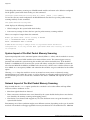
System Impact of Per-Slot Packet Memory Scanning
Network Impact of Per-Slot Packet Memory Scanning
67
67
67
68
68
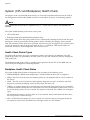
System (CPU and Backplane) Health Check
Health Check Packet Types
Backplane Health Check States
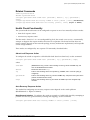
Related Commands
Health Check Functionality
70
70
70
71
71
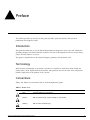
Alarm-Level Response Action
Auto-Recovery Response Action
Backplane Health Check
Viewing Backplane Health Check Results—show log Command
Viewing Backplane Health Check Diagnostic Results—show diagnostics Command
Analyzing the Results
CPU Health Check
Viewing CPU Health Check Results—show log Command
Viewing CPU Health Check Diagnostic Results—show diagnostics Command
Analyzing the CPU Health Check Results
Transceiver Diagnostics
Usage Guidelines
Related Commands
Configuring the Transceiver Diagnostics
Adva nce d Sys te m Dia gnos tics a nd Trouble s hooting Guide
71
71
72
72
73
78
79
79
80
80
82
82
82
82
5