1
UC360 Configuration
History
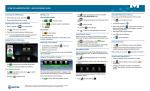
This History setting allows you to enable or disable the Clear History prompt. If a UC360 is
used in an executive office, the Clear History prompt maybe not be necessary. It is highly
recommended that the Clear History prompt be enabled in conference rooms.
1.
Press Settings
2.
Press Advanced
3.
Press System Settings
4.
Select History
5.
Select Enable Clear History prompt
The Clear History prompt is disabled by default.
65