1
Contents
Battery Pack . . . . . . . . . . . . . . . . . . . . . . . . . . . . . . . . . .
Charging a Battery Pack . . . . . . . . . . . . . . . . . . . . .
Monitoring the Charge in a Battery Pack . . . . . . . .
Managing Low-Battery Conditions . . . . . . . . . . . . .
Calibrating a Battery Pack. . . . . . . . . . . . . . . . . . . .
Conserving Battery Pack Power . . . . . . . . . . . . . . .
Replacing a Battery Pack. . . . . . . . . . . . . . . . . . . . .
Storing a Battery Pack . . . . . . . . . . . . . . . . . . . . . . .
Disposing of a Used Battery Pack . . . . . . . . . . . . . . . . .
3–13
3–13
3–15
3–17
3–19
3–23
3–24
3–27
3–28
4 Multimedia
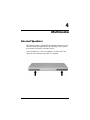
Internal Speakers . . . . . . . . . . . . . . . . . . . . . . . . . . . . . . . 4–1
Volume Controls . . . . . . . . . . . . . . . . . . . . . . . . . . . . . . . 4–2
External Audio Devices . . . . . . . . . . . . . . . . . . . . . . . . . . 4–3
Using the Audio-Out (Headphone) Jack . . . . . . . . . . 4–3
Using the Audio-In (Microphone) Jack. . . . . . . . . . . 4–4
External Video Devices . . . . . . . . . . . . . . . . . . . . . . . . . . 4–5
Connecting an S-Video Device . . . . . . . . . . . . . . . . . 4–5
Displaying a Video Image . . . . . . . . . . . . . . . . . . . . . 4–6
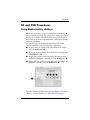
CD and DVD Procedures . . . . . . . . . . . . . . . . . . . . . . . . . 4–7
Using Media Activity Hotkeys . . . . . . . . . . . . . . . . . 4–7
Protecting Playback . . . . . . . . . . . . . . . . . . . . . . . . . . 4–8
Protecting a CD or DVD Write Process . . . . . . . . . . 4–8
Multimedia Software . . . . . . . . . . . . . . . . . . . . . . . . . . . . 4–9
Observing the Copyright Warning . . . . . . . . . . . . . 4–10
Installing Software. . . . . . . . . . . . . . . . . . . . . . . . . . 4–11
Enabling AutoPlay. . . . . . . . . . . . . . . . . . . . . . . . . . 4–12
Changing DVD Region Settings . . . . . . . . . . . . . . . 4–12
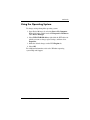
Using the Operating System . . . . . . . . . . . . . . . . . . 4–13
Using WinDVD . . . . . . . . . . . . . . . . . . . . . . . . . . . . 4–14
Using Other DVD Software . . . . . . . . . . . . . . . . . . 4–14
Hardware and Software Guide
v