1
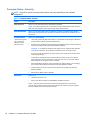
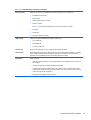
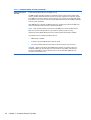
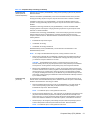
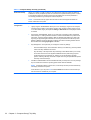
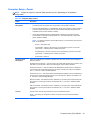
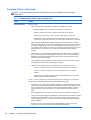
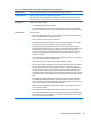
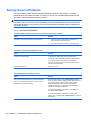
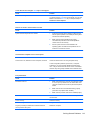
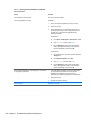
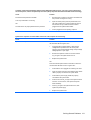
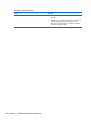
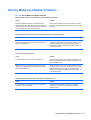
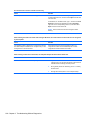
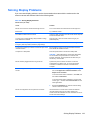
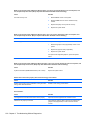
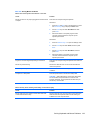
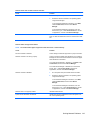
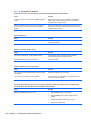
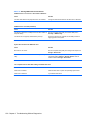
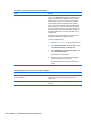
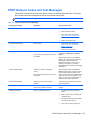
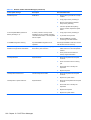
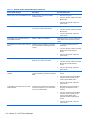
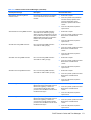
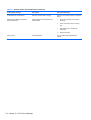
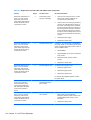
Table 10-1 Numeric Codes and Text Messages (continued)
Control panel message
Description
Recommended action
2200-PMM Allocation Error during MEBx
Download
Memory error during POST execution of the
Management Engine (ME) BIOS Extensions
option ROM.
1.
Reboot the computer.
2.
Unplug the power cord, re-seat the
memory modules, and reboot the
computer.
3.
If the memory configuration was
recently changed, unplug the
computer, restore the original memory
configuration, and reboot the
computer.
4.
If the error persists, replace the system
board.
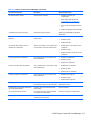
1.
Reboot the computer.
2.
Unplug the power cord, re-seat the
memory modules, and reboot the
computer.
3.
If the memory configuration was
recently changed, unplug the power
cord, restore the original memory
configuration, and reboot the
computer.
4.
If the error persists, replace the system
board.
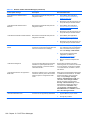
1.
Reboot the computer.
2.
Unplug the power cord, re-seat the
memory modules, and reboot the
computer.
3.
If the memory configuration was
recently changed, unplug the power
cord, restore the original memory
configuration, and reboot the
computer.
4.
If the error persists, replace the system
board.
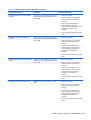
1.
Reboot the computer.
2.
Unplug the power cord, re-seat the
memory modules, and reboot the
computer.
3.
If the memory configuration was
recently changed, unplug the power
cord, restore the original memory
configuration, and reboot the
computer.
4.
If the error persists, replace the system
board.
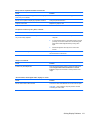
2201-MEBx Module did not checksum
correctly
2202-PMM Deallocation Error during MEBx
cleanup
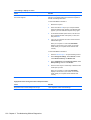
2203-Setup error during MEBx execution
Memory error during POST execution of the
Management Engine (ME) BIOS Extensions
option ROM.
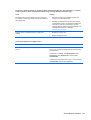
Memory error during POST execution of the
Management Engine (ME) BIOS Extensions
option ROM.
MEBx selection or exit resulted in a setup
failure.
POST Numeric Codes and Text Messages 169