1
9
PLACING, RECEIVING AND
DISCONNECTING CALLS
This chapter covers the following main topics:
Using the LAN Modem
Desktop Manager
(Windows only)
■
Using the LAN Modem Desktop Manager (Windows only)
■
Placing calls
■
Receiving calls
■
Disconnecting calls
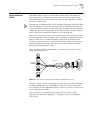
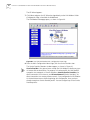
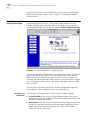
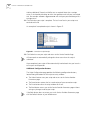
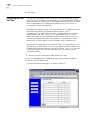
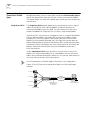
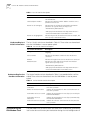
The LAN Modem Desktop Manager for Windows 95, 98, NT, and 2000 provides
direct access to LAN Modem call functionality directly from the Windows desktop,
without requiring the use of a Web browser.
The Desktop Manager provides the following functionality:
■
Monitor call status information
■
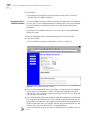
Access the LAN Modem Main Configuration Page
■
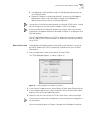
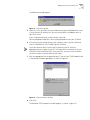
Launch and bring down calls to previously configured Service Providers
The LAN Modem Desktop Manager is included on the OfficeConnect Dual 56K
LAN Modem Companion Programs CD-ROM. Once installed, the application
resides in the Windows Tool Tray. No configuration of the Dual 56K LAN Modem is
necessary.
In addition to the CD-ROM, the application may be downloaded directly from the
LAN Modem Utilities website:
http://www.3com.com/support/docs/lanmodem/util.html
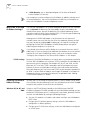
Placing Calls
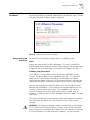
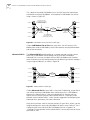
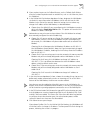
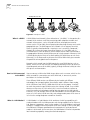
In addition to the LAN Modem Desktop Manager, you can place calls to a remote
location in one of two additional ways: automatically, through one of the
pre-configured service providers, or manually, either by using one of the
pre-configured service providers, or by entering the telephone number of a remote
destination on a call-by-call basis.
3Com assumes no liability for phone charges or other expenses incurred in
connection with the use of this product.