1
Customizing Your Phone
CUSTOMIZING YOUR PHONE
The following paragraphs describe the options available from either the IP phone UI, the Mitel
Web UI, or both, and provide procedures applicable to the option.
RING TONES AND TONE SETS
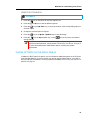
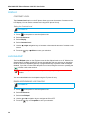
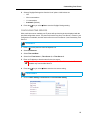
You can configure ring tones and ring tone sets on the IP phone.
RING TONES
There are several distinct ring tones a user can select to set on the IP phones. In addition to
the 15 pre-installed ringtones, custom ring tones can be manually installed through the Web
UI and selected for use (if enabled by your Administrator). You can enable/disable these ring
tones on a global or per-line basis.
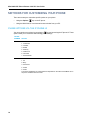
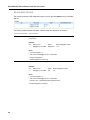
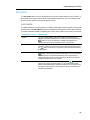
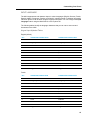
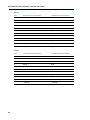
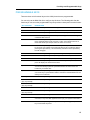
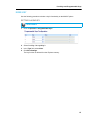
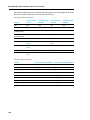
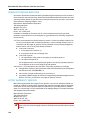
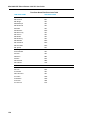
The following table identifies the valid settings and default values for each type of configuration
method:
Ring Tones
CONFIGURATION METHOD
VALID VALUES
DEFAULT VALUE
IP Phone UI
Global
Global Setting:
Tone 1 to 15
Tone 1
Silent
Custom Ring Tone 1 to 8
(if available)
Mitel Web UI
Global:
Global Setting:
Tone 1 to 15
Tone 1
Silent
Custom Ring Tone 1 to 8
(if available)
Lines 1 to 2
Per-Line Setting:
Per-Line Setting:
Global
Global
Tone 1 to 15
Silent
Custom Ring Tone 1 to 8
(if available)
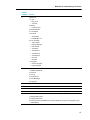
Ring Tone Sets
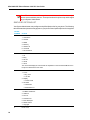
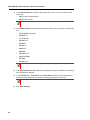
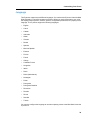
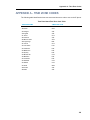
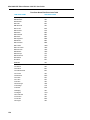
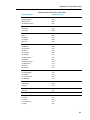
In addition to ring tones, you can configure ring tone sets on a global-basis on the IP phone.
Ring tone sets consist of tones customized for a specific country. The ring tone sets you can
configure on the IP phones are:
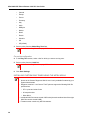
•
Australia
•
Brazil
27