1
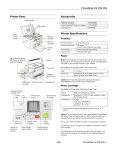
PictureMate Flash (PM 280)
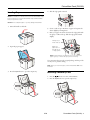
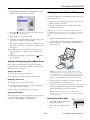
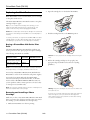
4. Slide the edge guides outward.
Loading Paper
Note: The illustrations in this document show the PictureMate Snap,
but the instructions cover both PictureMate Snap and PictureMate
Flash, except where noted.
Caution: Don’t load plain paper or you may damage PictureMate.
1. Move the handle to the back.
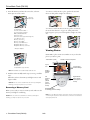
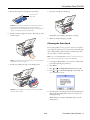
5. Create a stack of up to 20 sheets of paper and separate the
sheets slightly by fanning them.
6. Place your paper into the slot between the edge guides with
the glossy or whiter side up. Slide the edge guides inward
slightly.
Load glossy or
whiter side up
Make sure
paper stack is
beneath arrow
on edge guides
2. Open the paper support.
Note: Load a maximum of 20 sheets at one time. Make sure
paper is glossy or whiter side up to prevent smearing.
Store any unused paper in the original package and keep it flat
in a dry area to prevent curling.
Note: When you need more paper, order a PictureMate 200 Series
Print Pack.
3. Press the Open button to open the output tray.
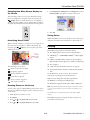
Inserting a Memory Card
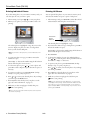
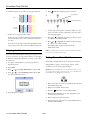
1. Press the
On button to turn on PictureMate.
2. Press the Open button to open the output tray.
8/06
PictureMate Flash (PM 280) - 3