1
Assembly Replacement and Post-Repair Procedures
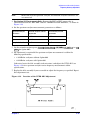
A9BT1 Battery
A9BT1 Battery
Tools Required
• T-10 TORX screwdriver
• ESD (electrostatic discharge) grounding wrist strap
• soldering iron with associated soldering tools
Removal
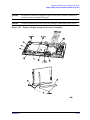
1. Remove the A9 CPU board (refer to “A9 CPU Board” on page 14-26).
2. Unsolder and remove A9BT1 from the A9 CPU board.
WARNING
Battery A9BT1 contains lithium. Do not incinerate or puncture this
battery. Dispose of the discharged battery in a safe manner.
Replacement
1. Make sure the new battery is inserted into the A9 board with the correct polarity.
WARNING
Danger of explosion if battery is incorrectly replaced. Replace only
with the same or equivalent type recommended.
2. Solder the battery into place.
3. Replace the A9 CPU board (refer to “A9 CPU Board” on page 14-26).
14-28
Chapter 14