1
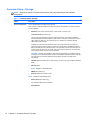
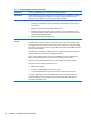
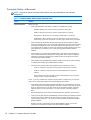
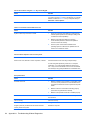
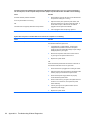
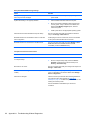
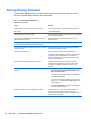
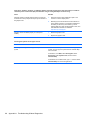
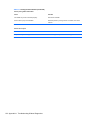
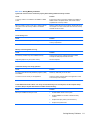
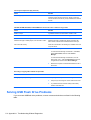
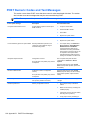
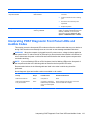
Activity
Beeps
Possible Cause
Recommended Action
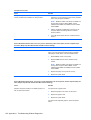
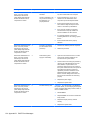
Red Power LED flashes
twelve iteration but LEDs
continue until problem is
solved.
12
MXM thermal shutdown.
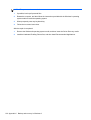
1.
Clean the MXM graphics card heat sink.
2.
Replace the MXM graphics card heat sink.
3.
Replace the MXM graphic card.
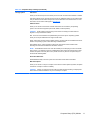
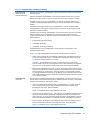
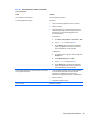
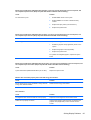
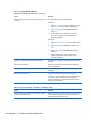
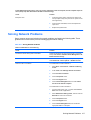
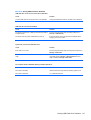
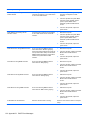
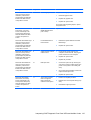
System does not power on
and LEDs are not flashing.
None
System unable to power
on.
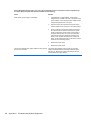
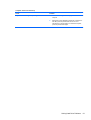
Press and hold the power button for less than 4
seconds. If the hard drive LED turns green, the
power button is working correctly and the system
board needs to be replaced.
OR
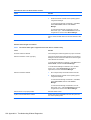
Press and hold the power button for less than 4
seconds. If the hard drive LED does not turn on
green then:
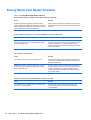
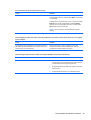
136 Appendix D POST Error Messages
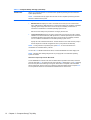
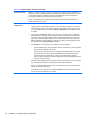
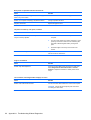
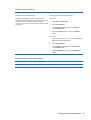
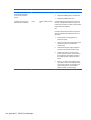
1.
Check that the unit is plugged into a
working AC outlet.
2.
Open hood and check that the power button
harness is properly connected to the
system board.
3.
Check that both power supply cables are
properly connected to the system board.
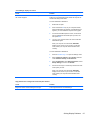
4.
Check to see if the 5V_aux light on the
system board is turned on. If it is turned on,
then replace the power button harness. If
the problem persists, replace the system
board.
5.
If the 5V_aux light on the system board is
not turned on, remove the expansion cards
one at a time until the 5V_aux light on the
system board turns on. It the problem
persists, replace the power supply.