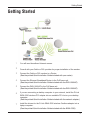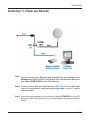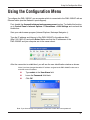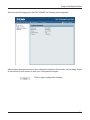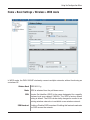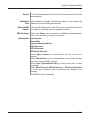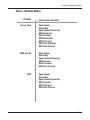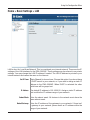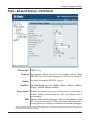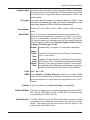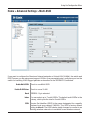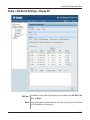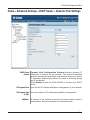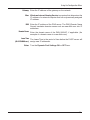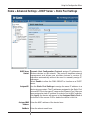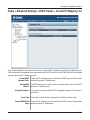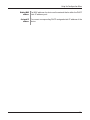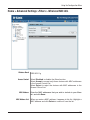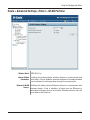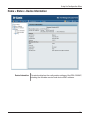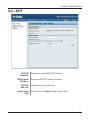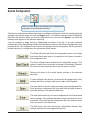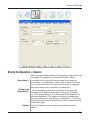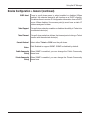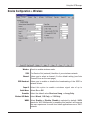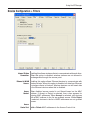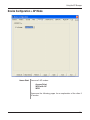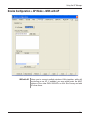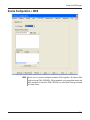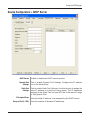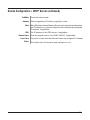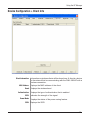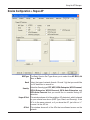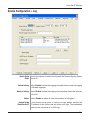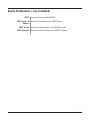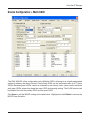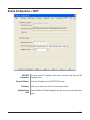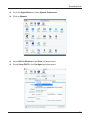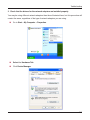
1
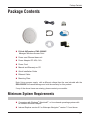
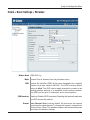
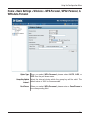
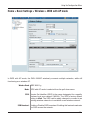
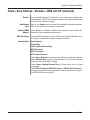
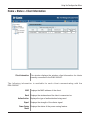
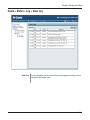
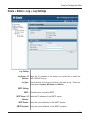
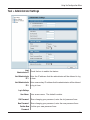
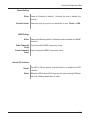
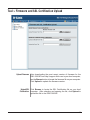
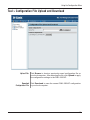
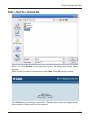
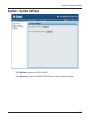
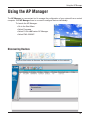
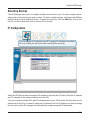
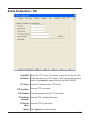
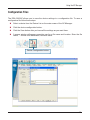
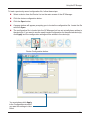
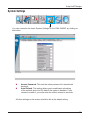
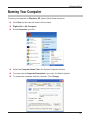
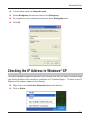
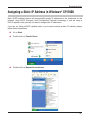
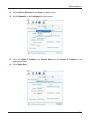
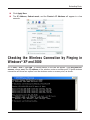
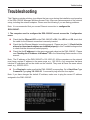
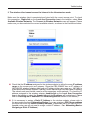
Table of Contents Table of Contents Table of Contents.............................................................................. 2 Package Contents............................................................................. 3 Introduction...................................................................................... 4 Features and Benefits........................................................................ 6 Wireless Basics................................................................................. 7 Three Operational Modes................................................................ 10 Getting Started................................................................................ 11 Using the Configuration Menu........................................................ 13 Using the AP Manager.................................................................... 54 Networking Basics.......................................................................... 84 Troubleshooting............................................................................ 100 Technical Specifications................................................................ 106 Package Contents Package Contents D-Link AirPremierTM DWL-3260AP Managed Wireless Access Point Power over Ethernet base unit Power Adapter-DC 48V, 0.4A Power Cord Manual and Warranty on CD Quick Installation Guide Ethernet Cable Mounting Plate Note: Using a power supply with a different voltage than the one included with the DWL-3260AP will cause damage and void the warranty for this product. If any of the above items are missing, please contact your reseller. Minimum System Requirements Computers with Windows®, Macintosh®, or Linux-based operating systems with an installed Ethernet Adapter Internet Explorer version 6.0 or Netscape Navigator™ version 7.0 and above Introduction Introduction The D-Link AirPremier DWL-3260AP is a powerful and reliable wireless access point for businessclass enterprise environments. Designed for indoor installation, this access point provides advanced functions including 108Mbps Turbo speed, security, Quality of Service (QoS), and Power over Ethernet (PoE) for network administrators to deploy a highly manageable and robust wireless network. Up to 108Mbps Wireless Speed. The DWL-3260AP delivers reliable wireless performance with standard 802.11g wireless throughput rates of up to 54Mbps. It has the added capability of reaching maximum wireless signal rates of up to 108Mbps (Turbo mode) powered by D-Link 108G technology. At the same time, the DWL-3260AP remains fully compatible with the IEEE 802.11b and 802.11g standards. Power Over Ethernet Support. For maximum coverage, the DWL-3260AP can be placed at outof-the-way locations such as on a ceiling, using a mounting plate. Industry-standard 802.3af PoE support facilitates installation of this device on high places, where AC outlets are inaccessible and providing power to these locations is difficult and expensive. From the ceiling, the DWL-3260AP can obtain power from a PoE switch located as far as 100 meters away through the unused pairs of the existing network cable, doing away with the need to install separate power wiring. Ceiling Mounting. The DWL-3260AP has a round shape and can be camouflaged as a smoke detector to distract the attention of network intruders. Its diagnostic LED can be turned off to make it appear even more like a smoke detector. Advanced Wireless Security. Since wireless security remains a strong concern among businesses, the DWL-3260AP provides the latest wireless security technologies by supporting both WPA/WPA2-Enterprise and 802.1x to ensure complete network protection. In addition, the DWL-3260AP currently comes 802.11i-ready to fully support industrial grade wireless security. Other security features included in this Access Point are MAC Address Filtering, Wireless LAN segmentation, Broadcast SSID Disabled, and support for Advanced Encryption Standard (AES) data encryption. WDS (Wireless Distribution System) Support. To maximize total return on investment, the DWL3260AP can be configured to operate as an access point (AP mode), a point-to-point bridge or a point-to-multipoint bridge (WDS mode). In the AP mode, the DWL-3260AP uses its built-in omni-directional antenna for multi-angle coverage. In the WDS mode, the DWL-3260AP can be mounted on a high wall and externally fitted with an optional directional antenna through its SMA connector. Users will disable the built-in antenna through a slide switch, and the DWL-3260AP will communicate only with wireless bridges, using the external directional antenna, without allowing wireless clients or workstations to access them. *”Maximum wireless signal rate derived from IEEE Standard 802.11g specifications. Actual data throughput will vary. Network conditions and environmental factors, including volume of network traffic, building materials and construction, and network overhead lower actual data throughout rate.” Introduction Increased Network Flexibility and Efficiency. The DWL-3260AP supports multiple SSIDs, allowing you to separate applications based on security and performance requirements. You can enable encryption and authentication on one SSID to protect private applications and no security on another SSID to maximize open connectivity for public usage. Multiple SSIDs means you can mix and match the broadcasting of SSIDs. For public Internet access applications, you can broadcast the SSID to enable user radio cards to automatically find available access points. For private applications, you can disable SSID broadcast to prevent intruders from identifying your network. You can set the number of users that can associate via a particular SSID to control usage of particular applications. This can help provide a somewhat limited form of bandwidth control for particular applications. Cost Saving and Mobile Applications. By supporting multiple SSIDs, the DWL-3260AP allows you to logically divide your access point into several virtual access points all within a single hardware platform. Rather than having two separate WLANs, you can deploy one access point to support more than one application, such as public Internet access and internal network control to increase flexibility and keep costs down. Advanced Network Management. Network administrators can manage all the DWL-3260AP's settings via its web-based configuration utility or with Telnet. For advanced network management, the administrators can use D-Link's AP Manager or D-View SNMP management module to configure and manage multiple access points from a single location. In addition to a streamlined management process, network administrators can also verify and conduct regular maintenance checks without wasting resources by sending personnel out to physically verify proper operation. Features and Benefits Features and Benefits For Business-Class Environments - The DWL-3260AP is in smoke detector shape that is ideal for mounting on ceiling or other indoor deployments. It also comes with an optional RP-SMA external directional antenna for communicating with another DWL-3260AP. 3 Different Operation modes - Capable of operating in one of three different operation modes to meet your wireless networking requirements: Access Point; WDS with AP, or WDS. Easy Installation with PoE (Power over Ethernet). Faster wireless networking with the 802.11g standard to provide a maximum wireless signal rate of up to 54Mbps* (maximum wireless signal rate of up to 108Mbps* in Super G mode). Compatible with the 802.11b standard to provide a wireless data rate of up to 11Mbps - that means you can migrate your system to the 802.11g standard on your own schedule without sacrificing connectivity. Better security with WPA - The DWL-3260AP can securely connect wireless clients on the network using WPA (Wi-Fi Protected Access) providing a much higher level of security for your data and communications than has previously been available. AP Manager Setup Wizard - The new Setup Wizard makes network configuration quick and simple. SNMP for Management - The DWL-3260AP is not just fast but it also supports SNMP v.3 for a better network management. Superior wireless AP manager software is bundled with the DWL-3260AP for network configuration and firmware upgrade. Systems administrators can also setup the DWL-3260AP easily with the Web-based configuration. A D-Link D-View module will be downloadable for network administration and real-time network traffic monitoring with D-Link D-View software. Utilizes OFDM technology (Orthogonal Frequency Division Multiplexing). Operates in the 2.4GHz frequency range. Web-based interface for managing and configuring. *”Maximum wireless signal rate derived from IEEE Standard 802.11a and 802.11g specifications. Actual data throughput will vary. Network conditions and environmental factors, including volume of network traffic, building materials and construction, and network overhead lower actual data throughout rate.” Wireless Basics Wireless Basics D-Link wireless products are based on industry standards to provide easy-to-use and compatible high-speed wireless connectivity within your home, business or public access wireless networks. D-Link wireless products will allow you access to the data you want, when and where you want it. You will be able to enjoy the freedom that wireless networking brings. A Wireless Local Area Network (WLAN) is a computer network that transmits and receives data with radio signals instead of wires. WLANs are used increasingly in both home and office environments, and public areas such as airports, coffee shops and universities. Innovative ways to utilize WLAN technology are helping people to work and communicate more efficiently. Increased mobility and the absence of cabling and other fixed infrastructure have proven to be beneficial for many users. Wireless users can use the same applications they use on a wired network. Wireless adapter cards used on laptop and desktop systems support the same protocols as Ethernet adapter cards. People use WLAN technology for many different purposes: Mobility - Productivity increases when people have access to data in any location within the operating range of the WLAN. Management decisions based on real-time information can significantly improve worker efficiency. Low Implementation Costs - WLANs are easy to set up, manage, change and relocate. Networks that frequently change can benefit from WLANs ease of implementation. WLANs can operate in locations where installation of wiring may be impractical. Installation and Network Expansion - Installing a WLAN system can be fast and easy and can eliminate the need to pull cable through walls and ceilings. Wireless technology allows the network to go where wires cannot go - even outside the home or office. Inexpensive Solution - Wireless network devices are as competitively priced as conventional Ethernet network devices. The DWL-3260AP saves money by providing multi-functionality, configurable in one of four different modes. Scalability - WLANs can be configured in a variety of ways to meet the needs of specific applications and installations. Configurations are easily changed and range from Peer-to-Peer networks suitable for a small number of users to larger Infrastructure networks to accommodate hundreds or thousands of users, depending on the number of wireless devices deployed. Wireless Basics Standards-Based Technology The DWL-3260AP Managed Wireless Access Point utilizes the 802.11b and the 802.11g standards. The IEEE 802.11g standard is an extension of the 802.11b standard. It increases the maximum wireless signal rate of up to 54Mbps* (maximum wireless signal rate of up to 108Mbps* in Super G mode) within the 2.4GHz band, utilizing OFDM technology. This means that in most environments, within the specified range of this device, you will be able to transfer large files quickly or even watch a movie in MPEG format over your network without noticeable delays. This technology works by transmitting high-speed digital data over a radio wave utilizing OFDM (Orthogonal Frequency Division Multiplexing) technology. OFDM works by splitting the radio signal into multiple smaller sub-signals that are then transmitted simultaneously at different frequencies to the receiver. OFDM reduces the amount of crosstalk (interference) in signal transmissions. The D-Link DWL-3260AP will automatically sense the best possible connection speed to ensure the greatest speed and range possible. 802.11g offers the most advanced network security features available today, including WPA and WPA2. *”Maximum wireless signal rate derived from IEEE Standard 802.11g specifications. Actual data throughput will vary. Network conditions and environmental factors, including volume of network traffic, building materials and construction, and network overhead lower actual data throughout rate.” Wireless Basics The D-Link AirPremier DWL-3260AP lets you access your network, using a wireless connection, from virtually anywhere within its operating range. Keep in mind, however, that the number, thickness and location of walls, ceilings, or other objects that the wireless signals must pass through, may limit the range. Typical ranges vary depending on the types of materials and background RF (radio frequency) noise in your home or business. The key to maximizing wireless range is to follow these basic guidelines: 1 Keep the number of walls and ceilings between the DWL-3260AP and other network devices to a minimum - each wall or ceiling can reduce your DWL-3260AP’s range from 3-90 feet (1-30 meters.) Position your devices so that the number of walls or ceilings is minimized. 2 Be aware of the direct line between network devices. A wall that is 1.5 feet thick (.5 meters), at a 45-degree angle appears to be almost 3 feet (1 meter) thick. At a 2-degree angle it looks over 42 feet (14 meters) thick! Position devices so that the signal will travel straight through a wall or ceiling (instead of at an angle) for better reception. 3 Building materials can impede the wireless signal - a solid metal door or aluminum studs may have a negative effect on range. Try to position wireless devices and computers with wireless adapters so that the signal passes through drywall or open doorways and not other materials. 4 Keep your product away (at least 3-6 feet or 1-2 meters) from electrical devices or appliances that generate RF noise. Three Operational Modes Three Operational Modes 10 Getting Started Getting Started 1 You will need broadband Internet access. 2 Consult with your Cable or DSL provider for proper installation of the modem. 3 Connect the Cable or DSL modem to a Router. (See the printed Quick Installation Guide included with your router.) 4 Connect the Ethernet Broadband Router to the PoE base unit. (See the printed Quick Installation Guide included with the DWL-3260AP.) 5 Connect the DWL-3260AP to the PoE base unit. (See the printed Quick Installation Guide included with the DWL-3260AP.) 6 If you are connecting a desktop computer to your network, install the D-Link WDA-2320 wireless PCI adapter into an available PCI slot on your desktop computer. (See the printed Quick Installation Guide included with the network adapter.) 7 Install the drivers for the D-Link WNA-2330 wireless Cardbus adapter into a laptop computer. (See the printed Quick Installation Guide included with the WNA-2330.) 11 Getting Started Connecting PoE (Power over Ethernet) Step 1 Connect one end of an Ethernet cable (included with your package) to the LAN port on the DWL-3260AP and the other end of the Ethernet cable to the port labeled P+DATA OUT on the PoE base unit. Step 2 Connect another Ethernet cable from the DATA IN port on the PoE base unit to your router/switch, using a straight through cable, or to a PC, using a crossover cable. Step 3 Attach the power adapter to the connector labeled POWER IN on the PoE base unit. Attach the power cord to the power adapter and into an electrical outlet. 12 Using the Configuration Menu Using the Configuration Menu To configure the DWL-3260AP, use a computer which is connected to the DWL-3260AP with an Ethernet cable (see the Network Layout diagram). First, disable the Access the Internet using a proxy server function. To disable this function, go to Control Panel > Internet Options > Connections > LAN Settings and uncheck the enable box. Start your web browser program (Internet Explorer, Netscape Navigator™) . Type the IP address and http port of the DWL-3260AP in the address field (http://192.168.0.50) and press Enter. Make sure that the IP addresses of the DWL-3260AP and your computer are in the same subnet. After the connection is established, you will see the user identification window as shown. Note: If you have changed the default IP address assigned to the DWL-3260AP, make sure to enter the correct IP address. Type admin in the User Name field Leave the Password field blank Click OK Note: If you have changed the password, make sure to enter the correct password. 13 Using the Configuration Menu After successfully logging into the DWL-3260AP the following screen appears: When making changes on most of the configuration screens in this section, use the Apply button at the bottom of each screen to save your configuration changes. Click to apply configuration changes. 14 Using the Configuration Menu Home > Basic Settings > Wireless Wireless Band: IEEE 802.11g Mode: Access Point is selected from the pull-down menu. SSID: Service Set Identifier (SSID) is the name designated for a specific wireless local area network (WLAN). The SSID’s factory default setting is dlink. The SSID can be easily changed to connect to an existing wireless network or to establish a new wireless network. The SSID can be up to 32 characters and is case-sensitive. SSID Broadcast: Enable or Disable SSID broadcast. Enabling this feature broadcasts the SSID across the network. Channel: Auto Channel Scan is set by default. All devices on the network must share the same channel. To change the channel, uncheck Auto Channel Scan. (Note: The wireless adapters will automatically scan and match the wireless setting.) 15 Using the Configuration Menu Home > Basic Settings > Wireless (continued) Auto Channel Scan: Authentication: Select Enable or Disable. (Enable this feature to auto-select the channel for best wireless performance.) Open System Shared Key Open System/Shared Key WPA-Enterprise WPA-Personal WPA2-Enterprise WPA2-Personal WPA-Auto-Enterprise WPA-Auto-Personal Select Open System to communicate the key across the network. Select Shared Key to limit communication to only those devices that share the same WEP settings. Select Open System/Shared Key to allow either form of data encryption. Select WPA-Enterprise, WPA2-Enterprise, WPA-Auto-Enterprise to secure your network with the inclusion of a RADIUS server. Select WPA-Personal, WPA2-Personal, WPA-Auto-Personal to secure your network using a password and dynamic key changes. (No RADIUS server required). Encryption: Select Disabled or Enabled. (Disabled is selected here). Key Type*: Select HEX or ASCII. Key Size: Select 64-, 128-, 152-bits. Valid Key: First through Fourth keys: Select the 1st through the 4th key to be the active key. Input up to four keys for encryption. You will select one of these keys in the valid key field. *Hexadecimal digits consist of the numbers 0-9 and the letters A-F *ASCII (American Standard Code for Information Interchange) is a code for representing English letters as numbers from 0-127 16 Using the Configuration Menu Home > Basic Settings > Wireless > WPA-Enterprise, WPA2-Enterprise, & WPA-Auto-Enterprise Cipher Type: When you select WPA-Enterprise, you must select AUTO, AES, or TKIP from the pull down menu. Group Key Update Select the interval during which the group key will be valid. Interval: 1800 is the recommended value. A lower interval may reduce data transfer rate. RADIUS Server: Enter the IP address of the RADIUS server. RADIUS Port: Enter the RADIUS port. RADIUS Secret: Enter the RADIUS secret. Accounting Mode: Select if you want to use a different server for accounting. Accounting Server: Enter the IP address of the Accounting server. Accounting Port: Enter the Accounting port (1813 is default). 17 Using the Configuration Menu Home > Basic Settings > Wireless > WPA-Personal, WPA2-Personal, & WPA-Auto-Personal Cipher Type: When you select WPA-Personal, please select AUTO, AES, or TKIP from the pull down menu. Group Key Update Select the interval during which the group key will be valid. The Interval: default value of 1800 is recommended. PassPhrase: When you select WPA-Personal, please enter a PassPhrase in the corresponding field. 18 Using the Configuration Menu Home > Basic Settings > Wireless > WDS with AP mode In WDS with AP mode, the DWL-3260AP wirelessly connects multiple networks, while still functioning as a wireless AP. Wireless Band: IEEE 802.11g Mode: WDS with AP mode is selected from the pull-down menu. SSID: Service Set Identifier (SSID) is the name designated for a specific wireless local area network (WLAN). The SSID’s factory default setting is dlink. The SSID can be easily changed to connect to an existing wireless network or to establish a new wireless network. SSID Broadcast: Enable or Disable SSID broadcast. Enabling this feature broadcasts the SSID across the network. 19 Using the Configuration Menu Home > Basic Settings > Wireless > WDS with AP (continued) Channel: 6 is the default channel. All devices on the network must share the same channel. (Note: The wireless adapters will automatically scan and match the wireless setting.) Auto Channel Click on the Scan button to search for available wireless networks. Scan: Click on the network you want to connect to. Remote AP MAC Select Enable or Disable. (Enable this feature to auto-select the Address: channel for best wireless performance.) WDS Site Survey: Enter the MAC addresses of the APs in your network that will serve as bridges to wirelessly connect multiple networks. Authentication: Open System Shared Key Open System/Shared Key WPA-Personal WPA2-Personal WPA-Auto-Personal Select Open System to communicate the key across the network. Select Shared Key to limit communication to only those devices that share the same WEP settings. Select Open System/Shared Key to allow either form of data encryption. Select WPA-Personal, WPA2-Personal, or WPA-Auto-Personal to secure your network using a password and dynamic key changes. (No RADIUS Server required). 20 Using the Configuration Menu Home > Basic Settings > Wireless > WDS mode In WDS mode, the DWL-3260AP wirelessly connects multiple networks, without functioning as a wireless AP. Wireless Band: IEEE 802.11g Mode: WDS is selected from the pull-down menu. SSID: Service Set Identifier (SSID) is the name designated for a specific wireless local area network (WLAN). The SSID’s factory default setting is default. The SSID can be easily changed to connect to an existing wireless network or to establish a new wireless network. SSID Broadcast: Enable or Disable SSID broadcast. Enabling this feature broadcasts the SSID across the network. 21 Using the Configuration Menu Channel: 6 is the default channel. All devices on the network must share the same channel. Auto Channel Select Enable or Disable. (Enable this feature to auto-select the Scan: channel for best wireless performance.) Remote AP MAC Enter the MAC addresses of the APs in your network that will serve Address: as bridges to wirelessly connect multiple networks. WDS Site Survey: Click on the Scan button to search for available wireless networks. Click on the network you want to connect to. Authentication: Open System Shared Key Open System/Shared Key WPA-Personal WPA2-Personal WPA-Auto-Personal Select Open System to communicate the key across the network. Select Shared Key to limit communication to only those devices that share the same WEP settings. Select Open System/Shared Key to allow either form of data encryption. Select WPA-Personal, WPA2-Personal, or WPA-Auto-Personal to secure your network using a password and dynamic key changes. (No RADIUS Server required). 22 Using the Configuration Menu Home > Wireless Modes AP Mode Authentication Available Access Point Open System Shared Key Open System/Shared Key WPA-Enterprise WPA-Personal WPA2-Enterprise WPA2-Personal WPA-Auto-Enterprise WPA-Auto-Personal WDS with AP Open System Shared Key Open System/Shared Key WPA-Personal WPA2-Personal WPA-Auto-Personal WDS Open System Shared Key Open System/Shared Key WPA-Personal WPA2-Personal WPA-Auto-Personal 23 Using the Configuration Menu Home > Basic Settings > LAN LAN is short for Local Area Network. This is considered your internal network. These are the IP settings of the LAN interface for the DWL-3260AP. These settings may be referred to as private settings. You may change the LAN IP address if needed. The LAN IP address is private to your internal network and cannot be seen on the Internet. Get IP From: Static (Manual) is chosen here. Choose this option if you do not have a DHCP server in your network, or if you wish to assign a static IP address to the DWL-3260AP. When DHCP is selected the other fields here will be greyed out. IP Address: The default IP address is 192.168.0.50. Assign a static IP address that is within the IP address range of your network. Subnet Mask: Enter the subnet mask. All devices in the network must share the same subnet mask. Default Gateway: Enter the IP address of the gateway in your network. If there isn’t a gateway in your network, please enter an IP address within the range of your network. 24 Using the Configuration Menu Home > Advanced Settings > Performance Wireless Band: IEEE 802.11g. Frequency: The frequency reflects the choice of the wireless channel. When IEEE 802.11g is chosen the frequency is 2.437GHz for channel 6. Channel: The default channel for IEEE 802.11g is 6. Data Rate*: The Data Rates are Auto, 6Mbps, 9Mbps, 12Mbps, 18Mbps, 24Mbps, 36Mbps, 48Mbps, 54Mbps. Beacon Interval: Beacons are packets sent by an access point to synchronize a network. Specify a beacon interval value. The default (100) is recommended. DTIM: (Delivery Traffic Indication Message) - Select a setting between 1 and 255. 1 is the default setting. DTIM is a countdown informing clients of the next window for listening to broadcast and multicast messages. *”Maximum wireless signal rate based on IEEE Standard 802.11a and 802.11g specifications. Actual data throughput will vary. Network conditions and environmental factors, including volume of network traffic, building materials and construction, and network overhead lower actual data throughout rate.” 25 Using the Configuration Menu Fragment Length: The fragmentation threshold, which is specified in bytes, determines whether packets will be fragmented. Packets exceeding the 2346 byte setting will be fragmented before transmission. 2346 is the default setting RTS Length: This value should remain at its default setting of 2346. If you encounter inconsistent data flow, only minor modifications to the value range between 256 and 2346 are recommended Transmit Power: Choose full, half (-3dB), quarter (-6dB), eighth (-9dB), minimum power. Super G Mode: Super G is a group of performance enhancement features that increase end user application throughput in an 802.11g network. Super G is backwards compatible to standard 802.11g devices. For top performance, all wireless devices on the network should be Super G capable. Select either Disabled, Super G without Turbo, or Super G with Dynamic Turbo. Disabled: Standard 802.11g support, no enhanced capabilities. Super G without Capable of Packet Bursting, FastFrames, Compression, Turbo: and no Turbo mode. Super G with Dynamic Turbo: Capable of Packet Bursting, FastFrames, Compression, and Dynamic Turbo. This setting is backwards compatible with non-Turbo (legacy) devices. Dynamic Turbo mode is only enabled when all devices on the wireless network are configured with Super G with Dynamic Turbo enabled. Radio: Select On or Off. WMM: Select Enable or Disable, Disable is selected by default. WMM stands for Wi-Fi Multimedia, by enabling this feature it will improve the user experience for audio and video applications over a Wi-Fi network. Praemble: Select the default value Short and Long, or Long Only. Wireless B/G Mode: This function allows you to configure the wireless network with IEEE 802.11g only, IEEE 802.11b only, or IEEE 802.11g with backward interoperability with IEEE 802.11b. Antenna Diversity: The DWL-3260AP supports 2.4GHz radio with two antennas. Radio is connected to each antenna and supports auto diversity mode by default. This means that the access point will auto switch to the antenna with better RSSI value. 26 Antenna Diversity Diversity: The DWL-3260AP will auto switch to the antenna with (continued): better RSSI value. Left Antenna: The AP will not switch antenna and the radio will use the left antenna (when facing the AP) to transmit and receive packets. Right Antenna: AP won’t switch antenna and the radio will use the right antenna (when facing the AP) to transmit and receive packets. 27 Using the Configuration Menu Home > Advanced Settings > Grouping Load Balance: Load Balancing allows you to balance and share the wireless network traffic and clients using multiple DWL-3260APs. Select Enable or Disable. User Limit: Sets the maximum amount of users allowed (0-64). Link Integrate: If the Ethernet connection between the LAN and the DWL-3260AP is disconnected, the Link Integrate option will cause the wireless segment associated with the AP to be disconnected from the AP. Select Enable or Disable. Ethernet Link Displays the current link status of the DWL-3260AP Ethernet port. Status: 28 Using the Configuration Menu Home > Advanced Settings > Multi-SSID If you want to configure the Guest and Internal networks on Virtual LAN (VLANs), the switch and DHCP server you are using must support VLANs. As a prerequisite step, configure a port on the switch for handling VLAN tagged packets as described in the IEEE802.1Q standard. Enable Multi-SSID: Check to use Multi-SSID. Enable VLAN Status: Check to use a VLAN. Band: IEEE802.11g is selected. Index: You can select up to 7 multi-SSIDs. The default multi-SSIDs is the primary, which puts the total to 8 multi-SSIDs. SSID: Service Set Identifier (SSID) is the name designated for a specific wireless local area network (WLAN). The SSID’s factory default setting is default. The SSID can be easily changed to connect to an existing wireless network or to establish a new wireless network. 29 Security: The Multi-SSIDs security can be WPA/WPA2-Enterprise or WPA-Auto-Enterprise only when the Primary SSID’s security is at the same security level. Also, they must connect to the same RADIUS server. VLAN ID: If you configure enable Guest access and configure Internal and Guest networks on VLANs, this field will be enabled. Provide a number between 1 and 4094 for the Internal VLAN. This will cause the access point to send DHCP requests with the VLAN tag. The switch and the DHCP server must support VLAN IEEE802.1Q frames. The access point must be able to reach the DHCP server. Check with the Administrator regarding the VLAN and DHCP configurations. Key Type: Select HEX or ASCII. Key Size: Select 64-bit, 128-bit, or 152-bit. Key: Select the 1st key all the way through the 4th key, to be set as the active key. Enter key here. When Primary SSID is set to any of the following security levels: None Open System (WEP) Shared Key (WEP) WPA-Personal WPA2-Personal WPA-Auto-Personal WPA-Enterprise WPA2-Enterprise WPA-Auto-Enterprise Multi-SSID can use any of these security levels: None Open System (WEP) Shared Key (WEP) WPA-Personal WPA2-Personal WPA-Auto-Personal None Open System (WEP) Shared Key (WEP) WPA-Personal WPA2-Personal WPA-Auto-Personal WPA-Enterprise WPA2-Enterprise WPA-Auto-Enterprise 30 Note: If WPA or WPA2 is being used, it will occupy the key space 2 and 3, which will leave key 1 and 4 for other SSIDs to use for WEP. When you configure one Multi-SSID, you must click Save to Table and then click Apply to save your settings. Cipher Type: When you select WPA-Personal, please select AUTO, AES, or TKIP from the pull down menu. Group Key Update Select the interval during which the group key will be valid. The Interval: default value of 1800 is recommended. PassPhrase: When you select WPA-Personal, please enter a PassPhrase in the corresponding field. 31 Using the Configuration Menu Home > Advanced Settings > Rogue AP BSS Type: The Basic Service Set Type allows you to select from AP BSS, Ad Hoc, or Both. Band: Select the type of network (bands 11b and 11g) that you would like the AP detection to search on. 32 Using the Configuration Menu Security: Select the Security type OFF, WEP, WPA-Enterprise, WPA-Personal, WPA2-Enterprise, WPA2-Personal, WPA-Auto-Enterprise, and WPA-Auto-Personal that you would like to consider during AP detection. Rogue AP List: This window shows all of the neighbor APs detected, which is based on your criteria from above (BSS Type, Band, and Security). If the AP is in the same network, or if you know the AP, just click on “Add” to save it to the AP list. AP List: This window shows all of the APs that are allowed access on the network. 33 Using the Configuration Menu Home > Advanced Settings > DHCP Server > Dynamic Pool Settings DHCP Server Dynamic Host Configuration Protocol assigns dynamic IP Control: addresses to devices on the network. This protocol simplifies network management and allows new wireless devices to receive IP addresses automatically without the need to manually assign new IP addresses. Select Enable to allow the DWL-3260AP to function as a DHCP server. IP Assigned From: Input the first IP address available for assignment in your network. The Range of Pool Enter the number of IP addresses available for assignment. (1-255): SubMask: All devices in the network must have the same subnet mask to communicate. Enter the submask for the network here. 34 Using the Configuration Menu Gateway: Enter the IP address of the gateway on the network. Wins: Windows Internet Naming Service is a system that determines the IP address of a network computer that has a dynamically assigned IP address. DNS: Enter the IP address of the DNS server. The DNS (Domain Name Server) translates domain names such as www.dlink.com into IP addresses. Domain Name: Enter the domain name of the DWL-3260AP, if applicable. (An example of a domain name is: www.dlink.com.) Lease Time The Lease Time is the period of time before the DHCP server will (60-31536000 sec.): assign new IP addresses. Status: Turn the Dynamic Pool Settings ON or OFF here. 35 Using the Configuration Menu Home > Advanced Settings > DHCP Server > Static Pool Settings DHCP Server Dynamic Host Configuration Protocol assigns IP addresses to Control: wireless devices on the network. This protocol simplifies network management and allows new wireless devices to receive IP addresses automatically without the need to manually assign IP addresses. Select Enable to allow the DWL-3260AP to function as a DHCP server. Assigned IP: Use the Static Pool Settings to assign the same IP address to a device at every restart. The IP addresses assigned in the Static Pool list must NOT be in the same IP range as the Dynamic Pool. After you have assigned a static IP address to a device via its MAC address, click Apply; the device will appear in the Assigned Static Pool at the bottom of the screen. Edit or delete the device in this list. Assigned MAC Enter the MAC address of the device here. Address: SubMask: Enter the subnet mask here. 36 Using the Configuration Menu Gateway: Enter the IP address of the gateway on the network. Wins: Windows Internet Naming Service is a system that determines the IP address of a network computer with a dynamically assigned IP address, if applicable. DNS: Enter the IP address of the Domain Name Server, if applicable. The DNS translates domain names such as www.dlink.com into IP addresses. Domain Name: Enter the domain name of the DWL-3260AP, if applicable. Status: This option turns the Static Pool settings ON or OFF. 37 Using the Configuration Menu Home > Advanced Settings > DHCP Server > Current IP Mapping List This screen displays information about the current DHCP dynamic and static IP address pools. This information is available when you enable the DHCP function of the DWL-3260AP and assign dynamic and static IP address pools. Current DHCP These are IP address pools to which the DHCP server function has Dynamic Pools: assigned dynamic IP addresses. Binding MAC The MAC address of a device on the network that is within the DHCP address: dynamic IP address pool. Assigned IP address: The current corresponding DHCP-assigned dynamic IP address of the device. Lease Time: The length of time that the dynamic IP address will be valid. Current DHCP Static These are IP address pools to which the DHCP server function has Pools: assigned static IP addresses. 38 Using the Configuration Menu Binding MAC The MAC address of a device on the network that is within the DHCP address: static IP address pool. Assigned IP The current corresponding DHCP-assigned static IP address of the address: device. 39 Using the Configuration Menu Home > Advanced Settings >Filters > Wireless MAC ACL Wireless Band: IEEE 802.11g Access Control: Select Disabled to disable the filters function. Select Accept to accept only those devices with MAC addresses in the Access Control List. Select Reject to reject the devices with MAC addresses in the Access Control List. MAC Address: Enter the MAC addresses that you wish to include in your filters list, and click Save. MAC Address List: When you enter a MAC address, it appears in this list. Highlight a MAC address and click Delete to remove it from the list. 40 Using the Configuration Menu Home > Advanced Settings >Filters > WLAN Partition Wireless Band: IEEE 802.11g Internal Station Enabling this feature allows wireless clients to communicate with Connection: each other. If this is disabled, wireless stations of the selected band are not allowed to exchange data through the access point. Ethernet to WLAN Enabling this feature allows Ethernet devices to communicate with Access: wireless clients. If this is disabled, all data from the Ethernet to associated wireless devices is blocked. Wireless devices can still send data to the Ethernet. 41 Using the Configuration Menu Home > Status > Device Information Device Information: This window displays the configuration settings of the DWL-3260AP, including the firmware version and device MAC address. 42 Using the Configuration Menu Home > Status > Client Information Client Information: This window displays the wireless client information for clients currently connected to the DWL-3260AP. The following information is available for each client communicating with the DWL-3260AP. MAC: Displays the MAC address of the client. Band: Displays the wireless band the client is connected on. Authentication: Displays the type of authentication being used. Signal: Displays the strength of the clients signal. Power Saving Displays the status of the power saving feature. Mode: 43 Using the Configuration Menu Home > Status > Log > View Log View Log: The log displays system and network messages including a time stamp and message type. 44 Using the Configuration Menu Home > Status > Log > Log Settings Log Settings Log Server / IP Enter the IP address of the server you would like to send the Address: DWL-3260APs log to. Log Type: Check the box for the type of activity you want to log. There are three types: System, Wireless and Notice. SMTP Settings SMTP: Check the box to enable SMTP. SMTP Server / IP Enter the IP address of the SMTP server. Address: SMTP Sender: Enter the e-mail address of the SMTP sender. SMTP Recipient: Enter the e-mail address of the SMTP recipient. 45 Using the Configuration Menu Tool > Administrator Settings Limit Check the box to enable the feature. Administrator IP Limit Administrator Enter the IP address that the administrator will be allowed to log IP 1: in from. Limit Administrator Enter a secondary IP address that the administrator will be allowed IP 2: to log in from. Login Settings User Name: Enter a user name. The default is admin. Old Password: When changing your password, enter the old password here. New Password: When changing your password, enter the new password here. Confirm New Confirm your new password here. Password: 46 Using the Configuration Menu Console Settings Status: Status is Enabled by default. Uncheck the box to disable the console. Console Protocol: Select the type of protocol you would like to use, Telnet or SSH. SNMP Settings Status: Status is Enabled by default. Uncheck the box to disable the SNMP functions. Public Community Enter the public SNMP community string. String: Private Community Enter the private SNMP community string. String: External LED Indicators Default: The LED is ON by default. Uncheck the box to disable the LED indicator. Status: When the LED is turned ON, there are two status: steady ON when link is ok, blinking when there is traffic. 47 Tool > Firmware and SSL Certification Upload Upload Firmware After downloading the most recent version of firmware for the DWL-3260AP from http://support.dlink.com to your local computer, use the Browse button to locate the firmware file on your computer. Click Upload to update the firmware version. Upload SSL Click Browse to locate the SSL Certification file on your local Certification: computer. After selecting and opening the file, click Upload to upload the file to the DWL-3260AP. 48 Using the Configuration Menu Tool > Configuration File Upload and Download Upload File: Click Browse to locate a previously saved configuration file on your local computer. After selecting the file, click Upload to apply the configuration settings to the DWL-3260AP. Download Click Download to save the current DWL-3260AP configuration Configuration File: to your local computer. 49 Using the Configuration Menu Tools > Cfg File > Choose file When you click Browse in the previous screen, the dialog box shown above appears. Select the file you wish to download and click Open. Click OK to begin loading. Click Restart for the settings to take effect. The dialog box above will appear as the device restarts. Please wait for a few seconds. 50 Using the Configuration Menu Tool > SNTP SNTP/NTP Information: SNT/NTP Server IP Address: SNTP/NTP Time Zone: Daylight Saving Time: Displays the current SNTP/NTP settings. Enter the SNTP/NTP server IP address. Select your correct Time Zone. Check the box to Enable Daylight Saving Time. 51 Using the Configuration Menu System > System Settings Click Restart to restart the DWL-3260AP. Click Restore to restore the DWL-3260AP back to factory default settings. 52 Using the Configuration Menu Help Help: Scroll down the Help page for topics and explanations. 53 Using the AP Manager Using the AP Manager The AP Manager is a convenient tool to manage the configuration of your network from a central computer. With AP Manager there is no need to configure devices individually. To launch the AP Manager: • Go to the Start Menu • Select Programs • Select D-Link AirPremier AP Manager • Select DWL-3260AP Discovering Devices Click on this button to discover the devices available on the network. 54 Using the AP Manager Selecting Devices The AP Manager allows you to configure multiple devices all at once. To select a single device, simply click on the device you want to select. To select multiple devices, hold down the Ctrl key while clicking on each additional device. To select an entire list, hold the Shift key, click on the first AP on the list and then click on the last AP on the list. IP Configuration You can assign an IP address to an AP or assign IP addresses to multiple AP’s by clicking on this button after selecting the device(s). Select the AP that you want to assign an IP address to and click the IP button. Enter the IP address and IP netmask for the selected device and click OK. You can configure multiple AP’s with IP addresses all at once. Click on the IP button after you’ve selected all of the AP’s you want to assign an IP address. Enter the IP address you want to assign the first unit and the AP manager will automatically assign sequential IP addresses. 55 Using the AP Manager Device Configuration Click on this button to access the configuration properties of the selected device(s). The device configuration window allows you to configure settings but does not actually apply the settings to the device unless you click the Apply button. You can also save and load configuration files from this window. When you load a configuration file, you must click Apply if you want the settings to be applied to the selected device(s). You can configure a single device by highlighting one device in the list, or you can configure multiple devices by highlighting multiple devices before clicking on the Device Configuration icon pictured above. The examples in this section show single device configuration. When you select multiple devices for configuration the procedure will be similar. The Check All button will select all configurable options. Any setting that has a check mark next to it is applied to the device or saved to the configuration file. The Clear Checks button deselects all configurable options. This feature is useful if you only want to change a few settings. Deselect all items and only check the items that you want to modify. Refresh will revert to the actual device settings of the selected device(s). To save settings to the device, you must click the Apply button. Only settings that have a check mark next to them will be applied. The open button is used to load a previously saved configuration file. After opening a configuration file, you must click the Apply button to save the settings to the selected device(s). The save button allows you to save a configuration file of the selected device settings. Only settings that have a check mark next to them are saved. You cannot save a configuration file if you selected more than one device in the device list. The Exit button will close the device configuration window. Any settings that haven’t been applied will be lost. 56 Using the AP Manager Device Configuration > General When selecting multiple devices for configuration, some options are unavailable for configuration by default as noted(*) below: Device Name(*): This allows you to change the device name for the selected access point. You must place a check mark in the Device Name box to change the name. This option should only be configured when one access point is selected for configuration. IP address and If you’ve selected one device for configuration and you want Subnet Mask(*): to change the IP address of the device, check the IP Address box. You can then enter an IP address and Subnet Mask for the selected access point. This option should only be configurable when one access point is selected for configuration. To configure multiple devices with an IP address at one time, please reference the previous page. Gateway: Enter the IP address of your gateway, typically your router address. 57 Using the AP Manager Device Configuration > General (continued) DHCP client: There is a pull-down menu to select enabled or disabled. When enabled, the selected device(s) will function as a DHCP client(s). This allows them to receive IP configuration information from a DHCP server. When disabled, the access point(s) must have a static IP address assigned to them. Telnet Support: This pull-down selection enables or disables the ability to Telnet into the selected device(s). Telnet Timeout: This pull-down selection defines the timeout period during a Telnet session with the selected device(s). Console Protocol: Select either Telnet or SSH from the pull-down. Status: Click Enabled to support SNMP. SNMP is disabled by default. Public Community When SNMP is enabled, you can change the Public Community String: Name here. Private Community When SNMP is enabled, you can change the Private Community String: Name here. 58 Using the AP Manager Device Configuration > Wireless Wireless: Check to enable wireless mode. SSID: The Service Set (network) Identifier of your wireless network. Channel: Allows you to select a channel. 6 is the default setting (see Auto Channel Scan on the next page). SSID Broadcast: Allows you to enable or disable the broadcasting of the SSID to network clients. Super G: Select this option to enable a wireless signal rate of up to Radio Wave: Select On or Off. Preamble: Select the default value Short and Long, or Long Only. Wireless B/G Mode: Select Mixed, 11G Only, or 11B Only. WMM: Select Enable or Disable, Disable is selected by default. WMM stands for Wi-Fi Multimedia, by enabling this feature it will improve the user experience for audio and video applications over a Wi-Fi network. 59 Using the AP Manager Device Configuration > Wireless Date Rate: A pull-down menu to select the maximum wireless signal rate for the selected device(s). Beacon Interval Beacons are packets sent by an access point to synchronize a (20~1000): network. Specify the beacon value for the selected device(s) here. The default value of 100 is recommended. DTIM (1~255): DTIM (Delivery Traffic Indication Message) is a countdown informing clients of the next listening window for broadcast and multicast messages. Fragment Length This sets the fragmentation threshold (specified in bytes). Packets (256~2346): exceeding the value set here will be fragmented. The default is RTS Length The RTS value should not be changed unless you encounter (256~2346): inconsistent data flow. The default value is 2346. Tx Power: A pull-down menu for selecting the transmit power of the selected device(s). Auto Channel Select this option to automatically select the most optimal channel Scan: available for wireless networking (default for AP mode). Antenna Diversity: The DWL-3260AP supports 2.4GHz radio with two antennas. Radio is connected to each antenna and supports auto diversity mode by default. This means that the access point will auto switch to the antenna with better RSSI value. Diversity: The DWL-3260AP will auto switch to the antenna with better RSSI value. Left Antenna: The AP will not switch antenna and the radio will use the left antenna (when facing the AP) to transmit and receive packets. Right Antenna: AP won’t switch antenna and the radio will use the right antenna (when facing the AP) to transmit and receive packets. *Maximum wireless signal rate derived from IEEE Standard 802.11g specifications. Actual data throughput will vary. Network conditions and environmental factors, including volume of network traffic, building materials and construction, and network overhead, lower actual data throughput rate. Environmental factors may adversely affect wireless signal range. 60 Using the AP Manager Device Configuration > Security > Authentication 61 Using the AP Manager Device Configuration > Security > Authentication (continued) AP Mode Authentication Available Access Point Open System Shared Key Open System/Shared Key WPA-Enterprise WPA-Personal WPA2-Enterprise WPA2-Personal WPA-Auto-Enterprise WPA-Auto-Personal WDS with AP Open System Shared Key Open System/Shared Key WPA-Personal WPA2-Personal WPA-Auto-Personal WDS Open System Shared Key Open System/Shared Key WPA-Personal WPA2-Personal WPA-Auto-Personal Select Open System to communicate the key across the network. Select Shared Key to limit communication to only those devices that share the same WEP settings. Select Open System/Shared Key to allow either form of data encryption. Select WPA-Enterprise, WPA2-Enterprise, or WPA-Auto-Enterprise to secure your network with the inclusion of a RADIUS server. Select WPA-Personal, WPA2-Personal, or WPA-Auto-Personal to secure your network using a password and dynamic key changes. (No RADIUS Server required). 62 Using the AP Manager Device Configuration > Security > Open and Shared The Security tab contains the WEP configuration settings on the initial page. If you select WPA as the authentication type, an additional tab will appear with the WPA configuration options based on your selection. Authentication Select from the pull-down menu the type of authentication to be used Type: on the selected device(s). Encryption: Enable or disable encryption on the selected device(s). Active Key Index: Select which defined key is active on the selected device(s). Key Values: Select the key size (64-bit, 128-bit, or 152-bit) and key type (HEX or ASCII) and then enter a string to use as the key. The key length is automatically adjusted based on the settings you choose. 63 Using the AP Manager Device Configuration > Security > WPA-Enterprise, WPA2-Enterprise, & WPA-Auto-Enterprise Cipher Type: Select Auto, AES, or TKIP from the pull-down menu. Group Key Update Select the interval during which the group key will be valid. 1800 Interval: is the recommended setting. A lower interval may reduce transfer RADIUS Server: Enter the IP address of the RADIUS server. RADIUS Port: Enter the port used on the RADIUS server (1812 is default). RADIUS Secret: Enter the RADIUS secret. Accounting Mode: Select if you want to use a different server for accounting. Accounting Server: Enter the IP address of the Accounting server. Accounting Port: Enter the Accounting port (1813 is default). 64 Using the AP Manager Device Configuration > Security > WPA-Personal, WPA2-Personal, & WPA-Auto-Personal Cipher Type: Select Auto, AES, or TKIP from the pull-down menu. Group Key Update Select the interval during which the group key will be valid. 1800 Interval: is the recommended setting. A lower interval may reduce transfer PassPhrase: Enter a PassPhrase between 8-63 characters in length. 65 Using the AP Manager Device Configuration > Filters Internal Station Enabling this allows wireless clients to communicate with each other. Connection: When this option is disabled, wireless stations are not allowed to exchange data through the access point. Ethernet to WLAN Enabling this option allows Ethernet devices to communicate with Access: wireless clients. When this option is disabled, all data from Ethernet to wireless clients is blocked. Wireless devices can still send data to the Ethernet devices when this is disabled. Access When disabled access control is not filtered based on the MAC Control: address. If Accept or Reject is selected, then a box appears for entering MAC addresses. When Accept is selected, only devices with a MAC address in the list are granted access. When Reject is selected, devices in the list of MAC addresses are not granted access. Access Control List: Add or Delete MAC addresses in the Access Control List. 66 Using the AP Manager Device Configuration > AP Mode Access Point: There are 3 AP modes: Access Point WDS with AP WDS Please see the following pages for an explanation of the other 2 AP modes. 67 Using the AP Manager Device Configuration > AP Mode > WDS with AP WDS with AP: Allows you to connect multiple wireless LANs together, while still functioning as an AP. If enabled, you may either enter the MAC address of the other DWL-3260APs or click Site Survey and add APs from there. 68 Using the AP Manager Device Configuration > WDS WDS: Allows you to connect multiple wireless LANs together. All other LANs must be using DWL-3260APs. When enabled, you may either enter the MAC address of the other DWL-3260APs or click Site Survey and add APs from there. 69 Using the AP Manager Device Configuration > DHCP Server DHCP Server: Enable or disable the DHCP server function. Dynamic Pool Click to enable Dynamic Pool Settings. Configure the IP address Settings: pool in the fields below. Static Pool Click to enable Static Pool Settings. Use this function to assign the Settings: same IP address to a device at every restart. The IP addresses assigned in the Static Pool list must NOT be in the same IP range as the Dynamic Pool. IP Assigned From: Enter the initial IP address to be assigned by the DHCP server. Range of Pool (1~255): Enter the number of allocated IP addresses. 70 Device Configuration > DHCP Server (continued) SubMask: Enter the subnet mask. Gateway: Enter the gateway IP address, typically a router. Wins: Wins (Windows Internet Naming Service) is a system that determines the IP address of a network computer with a dynamically assigned IP address, if applicable. DNS: The IP address of the DNS server, if applicable. Domain Name: Enter the domain name of the DWL-3260AP, if applicable. Lease Time: The period of time that the client will retain the assigned IP address. Status: This option turns the dynamic pool settings on or off. 71 Using the AP Manager Device Configuration > Client Info Client Information: Information on wireless clients will be shown here. A client is a device on the network that is communicating with the DWL-3260AP with a wireless connection. MAC Address: Displays the MAC address of the client. Band: Displays the wireless band. Authentication: Displays the type of authentication that is enabled. RSSI: Indicates the strength of the signal. Power Mode: Displays the status of the power saving feature. SSID: Displays the SSID. 72 Using the AP Manager Device Configuration > Rogue AP BSS Type: The Basic Service Set Type allows you to select from AP BSS, Ad Hoc, or Both. Band: Select the type of network (bands 11b and 11g) that you would like the AP detection to search on. Security: Select the Security type OFF, WEP, WPA-Enterprise, WPA-Personal, WPA2-Enterprise, WPA2-Personal, WPA-Auto-Enterprise, and WPA-Auto-Personal that you would like to consider during AP detection. Rogue AP List: This window shows all of the neighbor APs detected, which is based on your criteria from above (BSS Type, Band, and Security). If the AP is in the same network, or if you know the AP, just click on “>” to save it to the AP list. AP List: This window shows all of the APs that are allowed access on the network. 73 Using the AP Manager Device Configuration > Log Remote Syslog Check this option to enable the log and the Remote Syslog Status Status: Server IP. System Activity: Select Enable to allow the logging of system actions, such as logging a firmware upgrade. Wireless Activity: Select Enable to allow the logging of any wireless clients that connect to the AP. Notice: Select Enable to allow all other information to be logged. Remote Syslog If you require more space to hold your logs, please provide the Status Server IP: IP address of the Server that will store your logs. The embedded memory can only have up to 300 logs. 74 Device Configuration > Log (continued) SMTP: Check the box to enable SMTP. SMTP Server / IP Enter the IP address of the SMTP server. Address: SMTP Sender: Enter the e-mail address of the SMTP sender. SMTP Recipient: Enter the e-mail address of the SMTP recipient. 75 Using the AP Manager Device Configuration > Multi-SSID The DWL-3260AP offers configuration using Multiple SSIDs, allowing for a virtually segregated station by sharing the same channel. One primary SSID can be associated with up to 7 guest SSIDs. Because guest SSIDs cannot be scanned by site survey tools, users cannot associate with guest SSIDs unless they know the exact SSID and security setting. The VLAN function can be enabled for both the primary SSID and the guest SSID. Click Save to add the MSSID setting to the table below. Highlight and click Delete to remove the MSSID from the table. 76 Device Configuration > SNTP SNTP/NTP The time server IP address, time zone, and the local time will be Information: displayed here. Server IP Address: Enter the IP address of a SNTP/NTP server. Time Zone: Select your time zone from the drop-down menu. Daylight Saving Select Enable or Disable daylight savings time from the drop-down Time: menu. 77 Device Configuration > SSL Upload SSL Enter the FTP server information to properly locate the SSL Certification: Certification file on your FTP server. After selecting and opening the file, click Upload to upload the file to the DWL-3260AP. FTP Server: Enter the IP address of the FTP server. FTP User Name: Enter the FTP user name. FTP Password: Enter the password for the FTP user name. FTP Certificate Enter the FTP certificate file name. File Name: FTP Key File Enter the FTP key file name. Name: Upload: Click Upload to load the settings. 78 Using the AP Manager Configuration Files The DWL-3260AP allows you to save the device settings to a configuration file. To save a configuration file follow these steps: Select a device from the Device List on the main screen of the AP Manager. Click the device configuration button. Click the Save button after you have all the settings as you want them. A popup window will appear prompting you for a file name and location. Enter the file name, choose a file destination, and click Save. Device Configuration button. 79 Using the AP Manager To load a previously saved configuration file, follow these steps: Select a device from the Device List on the main screen of the AP Manager. Click the device configuration button. Click the Open button. A popup window will appear prompting you to locate the configuration file. Locate the file and click Open. The configuration file is loaded into the AP Manager but has not actually been written to the device(s). If you want to use the newly loaded configuration for the selected device(s), click Apply and the configuration settings will be written to the device(s). Device Configuration button. You must always click Apply in the Configuration window if you want the settings to take effect. 80 Using the AP Manager Firmware You can upgrade the firmware by clicking on this button after selecting the device(s). To upgrade the firmware: Download the latest firmware upgrade from http://support.dlink.com to an easy to find location on your hard drive. Click on the firmware button as shown above. A popup window will appear. Locate the firmware upgrade file and click Open. IMPORTANT! DO NOT DISCONNECT POWER FROM THE UNIT WHILE THE FIRMWARE IS BEING UPGRADED. 81 Using the AP Manager System Settings You can customize the basic System Settings for the DWL-3260AP by clicking on this button. Access Password: This sets the admin password for the selected device(s). Auto Refresh: This setting allows you to enable auto refreshing of the network device list. By default this option is disabled. If you choose to enable it, you must enter the refresh interval in seconds. All other settings on this screen should be left at the default setting. 82 Using the AP Manager Refresh Click on this button to refresh the list of devices available on the network. Devices with a check mark next to them are still available on the network. Devices with an X are no longer available on the network. About Click on this button to view the version of AP Manager. 83 Networking Basics Networking Basics Using the Network Setup Wizard in Windows® XP In this section you will learn how to establish a network at home or work, using Microsoft Windows® XP. Note: Please refer to websites such as http://www.homenethelp.com and http://www.microsoft.com/windows2000 for information about networking computers using Windows® 2000. Go to Start>Control Panel>Network Connections Select Set up a home or small office network When this screen appears, click Next. 84 Networking Basics Please follow all the instructions in this window: Click Next. In the following window, select the best description of your computer. If your computer connects to the internet through a gateway/router, select the second option as shown. Click Next. 85 Networking Basics Enter a Computer description and a Computer name (optional). Click Next. Enter a Workgroup name. All computers on your network should have the same Workgroup name. Click Next. 86 Networking Basics Please wait while the Network Setup Wizard applies the changes. When the changes are complete, click Next. Please wait while the Network Setup Wizard configures the computer. This may take a few minutes. 87 Networking Basics In the window below, select the option that fits your needs. In this example, Create a Network Setup Disk has been selected. You will run this disk on each of the computers on your network. Click Next. Insert a disk into the Floppy Disk Drive, in this case drive A. Click Next. 88 Networking Basics Please read the information under Here’s how in the screen below. After you complete the Network Setup Wizard you will use the Network Setup Disk to run the Network Setup Wizard once on each of the computers on your network. To continue click Next. 89 Networking Basics Please read the information on this screen, then click Finish to complete the Network Setup Wizard. The new settings will take effect when you restart the computer. Click Yes to restart the computer. You have completed configuring this computer. Next, you will need to run the Network Setup Disk on all the other computers on your network. After running the Network Setup Disk on all your computers, your new wireless network will be ready to use. 90 Networking Basics Naming Your Computer To name your computer in Windows® XP, please follow these directions. Click Start (in the lower left corner of the screen). Right-click on My Computer. Select Properties and click. Select the Computer Name Tab in the System Properties window. You may enter a Computer Description if you wish; this field is optional. To rename the computer and join a domain, Click Change. 91 Networking Basics In this window, enter the Computer name. Select Workgroup and enter the name of the Workgroup. All computers on your network must have the same Workgroup name. Click OK. Checking the IP Address in Windows® XP The wireless adapter-equipped computers in your network must be in the same IP Address range (see Getting Started in this manual for a definition of IP Address Range.) To check on the IP Address of the adapter, please do the following: Right-click on the Local Area Connection icon in the task bar. Click on Status. 92 Networking Basics This window will appear: Click the Support tab. Click Close. 93 Networking Basics Assigning a Static IP Address in Windows® XP/2000 Note: DHCP-enabled routers will automatically assign IP addresses to the computers on the network, using DHCP (Dynamic Host Configuration Protocol) technology. If you are using a DHCP-capable router you will not need to assign static IP addresses. If you are not using a DHCP capable router, or you need to assign a static IP address, please follow these instructions: Go to Start. Double-click on Control Panel. Double-click on Network Connections. 94 Networking Basics Right-click on Local Area Connections. Double-click on Properties. Click on Internet Protocol (TCP/IP). Click Properties. Input your IP address and subnet mask. (The IP addresses on your network must be within the same range. For example, if one computer has an IP address of 192.168.0.2, the other computers should have IP addresses that are sequential, like 192.168.0.3 and 192.168.0.4. The subnet mask must be the same for all the computers on the network.) 95 Networking Basics Input your DNS server addresses. (Note: If you are entering a DNS server, you must enter the IP address of the default gateway.) The DNS server information will be supplied by your ISP (Internet Service Provider.) Click OK. Assigning a Static IP Address in Macintosh® OSX Go to the Apple Menu and select System Preferences. Click on Network. 96 Networking Basics Select Built-in Ethernet in the Show pull-down menu. Select Manually in the Configure pull-down menu. Input the Static IP Address, the Subnet Mask and the Router IP Address in the appropriate fields. Click Apply Now. 97 Networking Basics Go to the Apple Menu and select System Preferences. Click on Network. Select Built-in Ethernet in the Show pull-down menu. Select Using DHCP in the Configure pull-down menu. 98 Networking Basics Click Apply Now. The IP Address, Subnet mask, and the Router’s IP Address will appear in a few seconds. Checking the Wireless Connection by Pinging in Windows® XP and 2000 Go to Start > Run > type cmd. A window similar to this one will appear. Type ping xxx.xxx. xxx.xxx, where xxx is the IP address of the wireless router or access point. A good wireless connection will show four replies from the wireless router or access point, as shown. 99 Troubleshooting Troubleshooting This Chapter provides solutions to problems that can occur during the installation and operation of the DWL-3260AP Managed Wireless Access Point. We cover various aspects of the network setup, including the network adapters. Please read the following if you are having problems. Note: It is recommended that you use an Ethernet connection to configure the DWL-3260AP . 1. The computer used to configure the DWL-3260AP cannot access the Configuration menu. Check that the Ethernet LED on the DWL-3260AP is ON. If the LED is not ON, check that the cable for the Ethernet connection is securely inserted. Check that the Ethernet Adapter is working properly. Please see item 3 (Check that the drivers for the network adapters are installed properly) in this Troubleshooting section to check that the drivers are loaded properly. Check that the IP address is in the same range and subnet as the DWL-3260AP. Please see Checking the IP Address in Windows® XP in the Networking Basics section of this manual. Note: The IP address of the DWL-3260AP is 192.168.0.50. All the computers on the network must have a unique IP address in the same range, e.g., 192.168.0.x. Any computers that have identical IP addresses will not be visible on the network. They must all have the same subnet mask, e.g., 255.255.255.0. Do a Ping test to make sure that the DWL-3260AP is responding. Go to Start>Run>Type Command>Type ping 192.168.0.50. A successful ping will show four replies. Note: If you have changed the default IP address, make sure to ping the correct IP address assigned to the DWL-3260AP. 100 Troubleshooting 2. The wireless client cannot access the Internet in the Infrastructure mode. Make sure the wireless client is associated and joined with the correct access point. To check this connection: Right-click on the Local Area Connection icon in the taskbar> select View Available Wireless Networks. The Connect to Wireless Network screen will appear. Please make sure you have selected the correct available network, as shown in the illustrations below. Check that the IP address assigned to the wireless adapter is within the same IP address range as the access point and gateway. Since the DWL-3260AP has an IP address of 192.168.0.50, wireless adapters must have an IP address in the same range, e.g., 192.168.0.x. Each device must have a unique IP address; no two devices may have the same IP address. The subnet mask must be the same for all the computers on the network.) To check the IP address assigned to the wireless adapter, double-click on the Local Area Connection icon in the taskbar > select the Support tab and the IP address will be displayed. Please refer to Checking the IP Address in the Networking Basics section of this manual.) If it is necessary to assign a Static IP Address to the wireless adapter, please refer to the appropriate section in Networking Basics. If you are entering a DNS Server address you must also enter the Default Gateway Address. (Remember that if you have a DHCPcapable router, you will not need to assign a static IP address. See Networking Basics: Assigning a Static IP Address.) 101 Troubleshooting 3. Check that the drivers for the network adapters are installed properly. You may be using different network adapters than those illustrated here, but this procedure will remain the same, regardless of the type of network adapters you are using. Go to Start > My Computer > Properties. Select the Hardware Tab. Click Device Manager. 102 Troubleshooting Double-click on Network Adapters. Right-click on D-Link AirPlus DWL-G650 Wireless Cardbus Adapter. (In this example we use the DWL-G650; you may be using other network adapters, but the procedure will remain the same.) Select Properties to check that the drivers are installed properly. Look under Device Status to check that the device is working properly. Click OK. 103 Troubleshooting 4. What variables may cause my wireless products to lose reception? D-Link products let you access your network from virtually anywhere you want. However, the positioning of the products within your environment will affect the wireless range. Please refer to Installation Considerations in the Wireless Basics section of this manual for further information about the most advantageous placement of your D-Link wireless products. 5. Why does my wireless connection keep dropping? Antenna Orientation- Try different antenna orientations for the DWL-3260AP. Try to keep the antenna at least 6 inches away from the wall or other objects. If you are using 2.4GHz cordless phones, X-10 equipment or other home security systems, ceiling fans, and lights, your wireless connection will degrade dramatically or drop altogether. Try changing the channel on your router, access point and wireless adapter to a different channel to avoid interference. Keep your product away (at least 3-6 feet) from electrical devices that generate RF noise, like microwaves, monitors, electric motors, etc. 6. Why can’t I get a wireless connection? If you have enabled encryption on the DWL-3260AP, you must also enable encryption on all wireless clients in order to establish a wireless connection. Make sure that the SSID on the router and the wireless client are exactly the same. If they are not, wireless connection will not be established. Move the DWL-3260AP and the wireless client into the same room and then test the wireless connection. Disable all security settings. Turn off your DWL-3260AP and the client. Turn the DWL-3260AP back on again, and then turn on the client. Make sure that all devices are set to Infrastructure mode. Check that the LED indicators are indicating normal activity. If not, check that the AC power and Ethernet cables are firmly connected. Check that the IP address, subnet mask, gateway and DNS settings are correctly entered for the network. If you are using 2.4GHz cordless phones, X-10 equipment or other home security systems, ceiling fans, and lights, your wireless connection will degrade dramatically or drop altogether. Try changing the channel on your DWL-3260AP, and on all the devices in your network to avoid interference. Keep your product away (at least 3-6 feet) from electrical devices that generate RF noise, like microwaves, monitors, electric motors, etc. 104 Troubleshooting 7. I forgot my encryption key. Reset the DWL-3260AP to its factory default settings and restore the other devices on your network to their default settings. You may do this by pressing the Reset button on the back of the unit. You will lose the current configuration settings. 105 Technical Specifications Product Specifications Standards - IEEE 802.11b - IEEE 802.11g - IEEE 802.3 - IEEE 802.3u - IEEE 802.3af Data Rates - For 802.11g: 108, 54, 48, 36, 24, 18, 12, 9 and 6Mbps - For 802.11b: 11, 5.5, 2 and 1Mbps Wireless Frequency Range 2.4GHz to 2.4835GHz Antenna - Internal omni-directional antenna - Reverse SMA connector for optional external antenna Wireless Operating Range * 802.11g (full power with 5dBi gain diversity dipole antennas) - Indoors: 30m (98ft) @ 54Mbps 34m (112ft) @ 48Mbps 39m (128ft) @ 36Mbps 47m (154ft) @ 24Mbps 56m (184ft) @ 18Mbps 66m (217ft) @ 12Mbps 79m (259ft) @ 9Mbps 99m (325ft) @ 6Mbps - Outdoors: 112m (367ft) @ 54Mbps 250m (820ft) @ 18Mbps 500m (1640ft) @ 6Mbps * Environmental factors may adversely affect operation range. Radio and Modulation Type - For 802.11b: DSSS: DBPSK @ 1Mbps DQPSK @ 2Mbps CCK @ 5.5 and 11Mbps - For 802.11g: OFDM: BPSK @ 6 and 9Mbps QPSK @ 12 and 18Mbps 16QAM @ 24 and 36Mbps 64QAM @ 48 and 54Mbps 106 Technical Specifications DSSS: DBPSK @ 1Mbps DQPSK @ 2Mbps CCK @ 5.5 and 11Mbps Transmit Output Power - For 802.11b: 100mW (20dBm) 50mW (17dBm) 30mW (15dBm) 20mW (13dBm) 10mW (10dBm) 5mW (7dBm) 1mW (0dBm) - For 802.11g: 100mW (20dBm) 63mW (18dBm) 30mW (15dBm) 20mW (13dBm) 10mW (10dBm) 5mW (7dBm) 1mW (0dBm) EIRP Total Output Power (With 5dBi Antennas) - For 802.11b: 400mW (26dBm) 160mW (22dBm) 100mW (20dBm) 63mW (18dBm) 32mW (15dBm) 16mW (12dBm) 3mW (5dBm) - For 802.11g: 400mW (26dBm) 200mW (23dBm) 100mW (20dBm) 63mW (18dBm) 32mW (15dBm) 16mW (12dBm) 3mW (5dBm) Receiver Sensitivity - For 802.11b: 1Mbps: -94dBm 2Mbps: -90dBm 5.5Mbps: -89dBm 11Mbps: -85dBm - For 802.11g: 1Mbps: -94dBm 2Mbps: -90dBm 5.5Mbps: -89dBm 6Mbps: -90dBm 9Mbps: -84dBm 107 Technical Specifications 11Mbps: -85dBm 12Mbps: -82dBm 18Mbps: -80dBm 24Mbps: -77dBm 36Mbps: -73dBm 48Mbps: -72dBm 54Mbps: -72dBm Operation Modes - Access Point - WDS With AP - WDS/Bridge (No AP Broadcasting) Security - 64-, 128-, 152-bit WEP data encryption - MAC address filtering - WPA/WPA2 EAP - WPA/WPA2 PSK - 802.1x User Authentication - AES - 802.11i-ready - 802.1Q SSID broadcast enable/disable - Multiple SSIDs (maximum 8) - Isolated security for each SSID (different security setting for each SSID) - Rogue AP detection VLAN - 802.1Q VLAN Tagging - Up to 8 VLANs Quality of Service WMM (Wi-Fi Multimedia) certified Device Management - Web Browser Interface: HTTP Secure HTTP (HTTPS) - AP Manager - SNMP support: D-View module Private MIB - Command Line Interface: Telnet Secure (SSH) Telnet Physical & Environmental ==================== LED Diagnostics - Power - Status - Traffic Activity 108 Technical Specifications Operating Voltage 48VDC +/- 10% for PoE Power Consumption 6.24 watts (130mA) (max.) Dimensions - Diameter: 171.97 mm (6.77 inches) - Height: 48.16 mm (1.90 inches) Weight 284 grams (0.63 lb) Operating Temperature -40 to 60 C (-40 to 140 F) Storing Temperature -40 to 65 C (-40 to 149 F) Operating Humidity 10% to 90% (non-condensing) Storing Humidity 5% to 95% (non-condensing) Certifications - FCC Class B - CE - Wi-Fi 109