1
CC on Mute
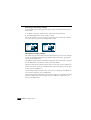
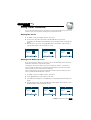
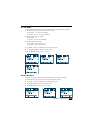
You can choose following caption mode with combination of Closed Caption and CC on Mute.
1 Closed Caption is always on whether sound is ON or OFF.
Closed Caption : C1 (C2/T1/T2, if available)
CC on Mute : off or C1 (C2/T1/T2, if available)
2 Closed Caption is on, only in Mute.
Closed Caption : off
CC on Mute : C1 (C2/T1/T2, if available)
3 Closed Caption is always OFF.
Closed Caption : off , CC on Mute : off
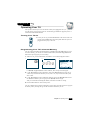
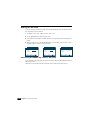
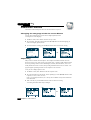
To select item 2, follow steps as below.
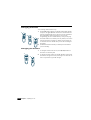
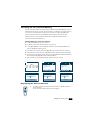
1 On "MENU" mode, select "SPECIAL" and enter "Special" menu.
2 Use the VCHW buttons to select “CC on Mute” item.
3 Use the CVOLB buttons to select “C1” or “C2”.
or
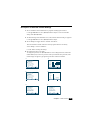
Power Restore
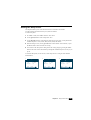
When TV is connected to the outlet which is controlled by the wall switch or a cable box
AC outlet with switch, the power can be turned on by turning those switches.
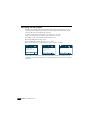
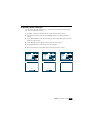
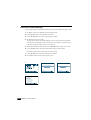
1 On "MENU" mode, select "SPECIAL" and enter "Special" menu.
2 Use the VCHW buttons select “Power Restore” item.
3 Use the CVOLB buttons to select “On” or “Off”.
Chapter 5 : Additional Features
21