1
Table of Contents
Safety Precautions ....................................................................................................................................... 2
To Use the Printer Safely ........................................................................................................................ 2
Regulations ............................................................................................................................................. 4
Getting Started
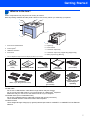
What is in the box?....................................................................................................................................... 7
Control panel................................................................................................................................................ 8
Supplied CD-ROM ....................................................................................................................................... 9
STEP 1— Setting Up the Machine
Put the CD-ROM into the CD-ROM drive................................................................................................... 10
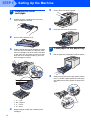
Remove the packing materials from the printer ......................................................................................... 11
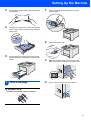
Installing the toner cartridges ..................................................................................................................... 12
Load paper in the paper tray ...................................................................................................................... 12
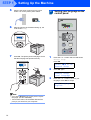
Print a test page ......................................................................................................................................... 13
Setting your language on the control panel................................................................................................ 14
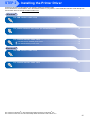
STEP 2— Installing the Printer Driver
Windows®
For USB interface cable users ..................................................................................................................
For parallel interface cable users (HL-4050CDN users) ...........................................................................
For network interface cable users .............................................................................................................
For Peer-to-Peer network printer users ...............................................................................................
For shared network printer users .........................................................................................................
16
18
19
19
21
Macintosh®
For USB interface cable users .................................................................................................................. 23
For network interface cable users ............................................................................................................. 25
For Network Users
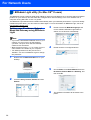
BRAdmin Light utility (For Windows® users).............................................................................................. 27
BRAdmin Light utility (For Mac OS® X users) ............................................................................................ 28
Web Based Management (web browser)................................................................................................... 29
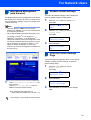
Network default settings............................................................................................................................. 29
Print the Printer Settings Page................................................................................................................... 29
Consumables and Options
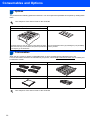
Options....................................................................................................................................................... 30
Consumables ............................................................................................................................................. 30
Other Information
Shipment of the printer............................................................................................................................... 31
Troubleshooting
Chapter 7 of the User’s Guide on the CD-ROM
1