1
2
Installing the Switch
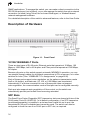
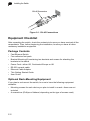
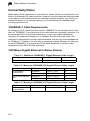
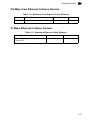
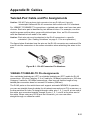
RJ-45 Connector
Figure 2-1. RJ-45 Connections
Equipment Checklist
After unpacking the switch, check the contents to be sure you have received all the
components. Then, before beginning the installation, be sure you have all other
necessary installation equipment.
Package Contents
• Fast Ethernet Switch
• Four adhesive foot pads
• Bracket Mounting Kit containing two brackets and screws for attaching the
brackets to the switch
• Power Cord—either US, Continental Europe or UK
• RS-232 console cable
• Ethernet Cable Adapter
• This Getting Started Guide
• User Guide
Optional Rack-Mounting Equipment
If you plan to rack-mount the switch, be sure to have the following equipment
available:
• Mounting screws for each device you plan to install in a rack—these are not
included
• A screwdriver (Phillips or flathead, depending on the type of screws used)
2-12