1
DVD RECORDER OPERATION
Playing MP3 Files
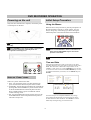
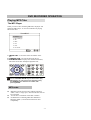
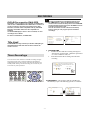
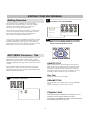
The MP3 Player
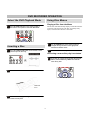
When you insert a disc containing MP3 files, the player will
launch the MP3 player - an on-screen interface for playing
MP3 music files.
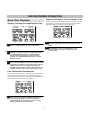
SmartNAVI
0 ROOT
1 RI-YVOU(A)
2 ZB
3 BKF
4 DZ
5 HKL
6 HP-THAT
Enter
1. TRACK LIST - A list of the tracks and folders on the
disc.
2. CURRENT FILE - The current file begin played.
3. PLAYBACK INFO - Displays the current track number,
total tracks on the disc and elapsed playback time.
1
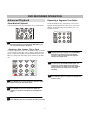
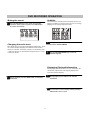
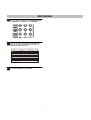
Use the UP/DOWN ARROW keys to select a file to play.
Alternatively, you can jump to a file directly by using
the NUMBER keys to enter the file number, then
pressing ENTER.
MP3 notes
MP3 files must be stored on discs with the extension
“MP3”, such as “song1.mp3”, otherwise the files will not
be recognized.
You can have a maximum of 250 files or folders.
CD-R/RW discs containing MP3 files should be in
ISO/9660, Mode 1, Closed Session format for best
compatibility.
25