1
U I Nt:.H
l;UNVt:.NIENT FEATURES
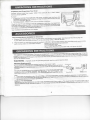
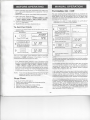
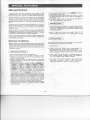
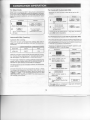
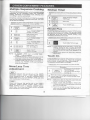
Demonstration Mode
To demonstrate, touch CLOCK. @] and STARTffOUCH
ON pad. Hold the STARTffOUCH ON pad for three seconds.! DEl'fj II art jj SHRI?P II 5:,'jPL~lcmo[]£ill
will appear in the display. Cooking operations and special
features can now be demonstrated with no power in the oven.
For example. Touch MINUTE PLUS and the displav will show
! LCD I and countdown quickly to [QJ and the I Et.D' i
5
Enter cooking program or
cooking time.
6
I
START
TOUCH ON
Touch STARTfTOUCH
pad.
ON
To cancel, touch CLOCK. the number@] and STOP!CLEAR.
NOTE:
Custom Help
1. Auto start can be used for manual cooking, Compu Broil!
Roast/Bake ITclock is set.
2. If the oven door is opened after programming Auto Start, it
is necessary to touch the START pad for the time of day
to appear in the readout so that the oven will
automatically begin programmed cooking at the chosen
Auto Start time.
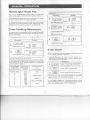
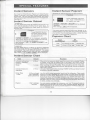
CUSTOM HELP provides 5 features which make using your
oven easy because specific instructions are provided in the
interactive display.
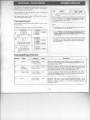
Safety Lock
3. Be sure to choose foods that can be left in the oven safely
until the Auto Start time. Baked potatoes are often a good
choice.
The Safety Lock prevents unwanted oven operation such
as by small children. Note: Safety Lock is not applicable to
Hood Fan and Hood Light buttons.
The oven can be set so that the control panel is deactivated
or locked. To set, touch CUSTOM HELP, the numberITl and
STARTfTOUCH ON pad. Should a pad be touched, LOCK
will appear in the display.
I
To cancel, touch CUSTOM HELP, the number[Ij
CLEAR.
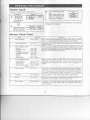
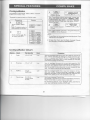
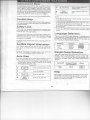
Language Selection
I
and STOP!
Number[1J
Audible Signal Elimination
Once
Twice
3 Times
If you wish to have the oven operate with no audible signals. touch CUSTOM HELP. the number[II
and STOP!
CLEAR.
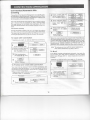
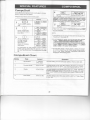
If you wish to program your oven to begin cooking automatically at a deSignated time of day. follow this procedure:
* Suppose you want to start cooking a stew for 20 minutes
at 4:30. Before setting. check to make sure the clock is
showing the correct time of day.
C
CUSTOM)
HELP
2
[I]
3
!Il[I][QJ
4
l
SiART
TOUCH ON
Number
'\
Once
Twice
Touch CUSTOM HELP pad.
j
I £.t'ffd.tS.H I
IE5PRt'tDLI
r~ I
I
ill
;,tandard of Weighl
and Temg;erS!ture
LB. F
KGC
~
CIEE
I 6Gr
Help
Touch the number.
Enter the start time.
English
Espanol
French
,
~
The oven comes set for U.S. Customary Unit-pounds. To
change, touch CU~TOM HELP and the number ~.
Continue to touch the number @J until your choice is selected from the table below. Then, touch STARTfTOUCH
ON pad.
Auto Start
1
Language
WeightlTemp Selection
To cancel and restore the audible signal. touch CUSTOM
HELP, the number [II and STARTffOUCH ON.
Procedure
m.
The oven comes set for English language. To change, touch
CUSTOM HELP and the number
Continue to touch the
number ~ until your choice is selected from the table below. Then, touch STARTfTOUCH ON pad.
I
Touch the CLOCK pad.
24
Each setting of CompuDefrost, CompuBroil, CompuRoast,
CompuBake and Sensor Cook has a cooking hint. If you
wish to check, touch CUSTOM HELP whenever HELP is
lighted in the interactive display.