1
GETTING STARTED
Feeding Tape
Feed function
The Feed function feeds 25mm of blank tape.
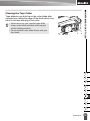
• Be sure to feed tape to remove any slack in the tape and ink ribbon after inserting the tape
cassette.
• Do not pull the label coming out of the tape exit slot. Doing so will cause the ink ribbon
to be discharged with the tape.
• Do not block the tape exit slot during printing or when feeding tape. Doing so will cause the
tape to jam.
1
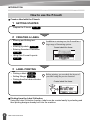
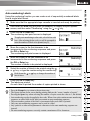
Hold down the Shift key and press the Preview key.
2
The message “Feeding Tape... Please Wait” appears while the tape is fed.
To exit or cancel this function press Escape.
LCD Display
LCD Contrast
You can change the contrast setting of the LCD display to one of five levels (+2, +1, 0,
-1, -2) to make the screen easier to read. The default setting is “0”.
1
Press the Setup key to display the Setup menu, select “LCD Contrast” using the
or
key, and then press the OK or Enter key.
2
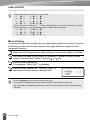
Select a contrast level using the
or
key.
The screen contrast changes each time you press the
to set the most suitable contrast.
3
Press the OK or Enter key.
or
key, allowing you
• Press the Escape key to return to the previous step.
• Pressing the Space key on the contrast setting screen sets the contrast to the default value “0”.
18
Feeding Tape