1
2.0 Operation
2.12 Differential Measurement (DM4, DM4 DL)
Press
again to exit the gain select function.
When the instrument shuts off, current setting is saved and restored when the instrument is turned on again.
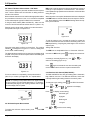
Differential measurement mode displays the difference between
the measured thickness and a nominal value set by the user. To
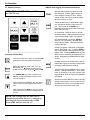
enter dIF mode, press
or
Then press
until
or
to turn differential mode On and Off
2.11 Using LO / HI Thickness Limits (DM4, DM4 DL)
Setting the Nominal Value:
WARNING: If a file containing normal thickness (THK) data is
currently active, changing the LO or HI limit replaces any settings previously stored in the file.
Press
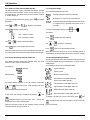
LO and HI limits identify readings that violate user set lower and
upper limits. When LO and/or HI limits are set, a reading that
violates either causes the red LED (front panel) to light.
Use
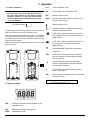
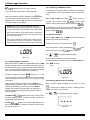
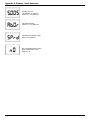
A flashing plus sign (Figure 2-15) indicates the reading exceeds
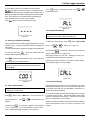
the HI limit. A flashing minus sign (Figure 2-16) indicates a reading that is less than the LO limit.
To set and enable LO and HI limits press
appears in the display.
to display current status, On or Off. Use
Press
Figure 2-15
until SPEC illuminates.
until SPEC illumi-
nates.
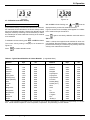
to display the current nominal value setting.
or
return to
to set the desired value. Press
again to
display.
To perform differential measurement, with dIF mode On, return
to THK mode
Section 2.8.
and follow the measurement procedure in
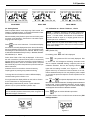
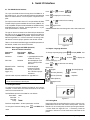
Figure 2-17
Figure 2-16
Press
or
until
per limit) appears in the display.
Press
(lower limit) or
to display current status, On or Off. Use
(up-
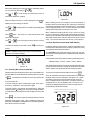
Figure 2-17 shows a differential reading that is 0.059 inch greater
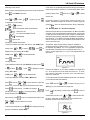
than ( ) the user set nominal value. In Figure 2-18 the actual
measurement is 0.003 inch less than ( ) the nominal.
or
To disable differential measurement, follow the procedure at the
beginning of this section.
to turn either alarm mode On or Off.
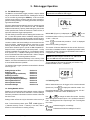
Setting LO and HI Limits:
With the desired alarm mode On, press
rent limit setting. Use
0.5 to 500 mm). Press
display. Press
or
to display the cur-
to set the limit (0.020 to 20.00";
again to return to
Figure 2-18
or
to return to THK mode.
DM4E, DM4, DM4 DL Operating Manual
Page 13