1
English
Installation
Connection
1. Connect the curly cord to the handset and to the socket marked Handset
located on the left side of the telephone.
2. Carefully remove the battery cover from the underside of the telephone and
install 3 x AAA alkaline batteries observing correct polarity.
3. Connect the line cord to the telephone and network wall socket.
4. A click will be heard when the modular plug is correctly in place.
5. Lift the handset and listen for the dial tone. Your telephone is now
operational.
Making a call
1. Lift the handset, dial tone will be heard.
2. Dial the telephone number required.
3. Replace the handset to terminate the call.
Connection of a headset
A headset can be connected to the socket on the left side of the telephone marked
Headset.
Simply press the Speaker/Headset button to access an incoming call or dial tone,
press again to terminate the call.
While a headset is connected the Hands Free function will NOT operate.
IMPORTANT!
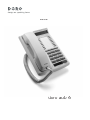
The AUB 6 MW is designed to operate with DORO original headsets. Other
manufacturer headsets may be used, although the function and sound quality cannot be
guaranteed.
Any damage occurring due to incompatible or non Doro headsets being installed, will not be
covered under the telephones guarantee.
Making a call using either Hands Free or Headset
1. Press Speaker/Headset. Dial tone will be heard and the speaker light will
illuminate.
2. Dial the telephone number required.
3. Press Speaker/Headset again to terminate the call.
www.doro.com
3