1
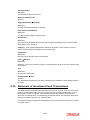
Note
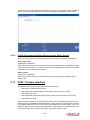
This field will be displayed only if the Message Type is ‘OUT’.
Generate Auth Transactions
Optional
Check this box to indicate an incoming transaction request should be created as an
authorized transaction.
Note
This check box will be enabled only if the Message Type is ‘IN’ and the Message Code is
an Order or Cancellation message.
Confirm Outgoing Messages
Optional
Check this box to indicate the message needs to be manually confirmed. This is applicable
only to FCIS initiated messages only and not messages which are in response to SWIFT
requests.
Note
This field will be displayed only if the Message Type is ‘OUT’.
Global Order
Optional
Global orders are orders sent from distributors to AMC to subscribe on behalf of the
distributor's customers. Check the box Global Order to indicate a global order should be
generated.
Note
This check box will be enabled only if the Message Type is ‘OUT’ and the Message Code
is a multiple order message.
3.3.1.2
Ref Types Section
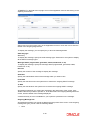
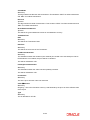
Applicable Ref Types
Mandatory
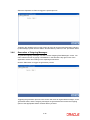
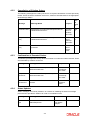
For FCIS initiated orders, you can specify the Transaction Reference Types applicable to the
outgoing message. The ones available for selection will be displayed in the adjoining option
list. You can choose the appropriate one.
Reference Type Description
Upon Selection of the applicable reference type, the description of the selected reference type
gets displayed.
3-4