1
ACCORD Database User Manual V2.2.9
•
•
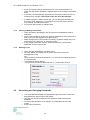
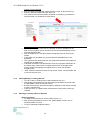
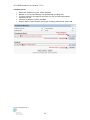
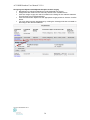
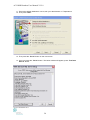
If you select ‘Yes’ for the Disease present field, a list of disease sites will be displayed
for recording specifics.
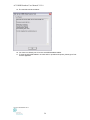
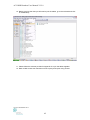
Staging definitions may be viewed by clicking a ? link. Once clicked, a pop-up window
will open.
A5.5 Surgery and pathology
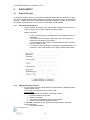
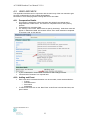
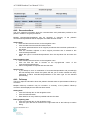
This form captures information regarding the surgeries the patient underwent for his/her
primary renal cancer and the pathological findings of those surgeries.
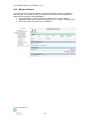
Multiple surgeries may be recorded. A summary of the patient’s surgeries will be displayed
once data have been saved.
Adding data
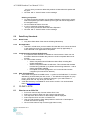
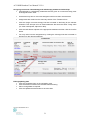
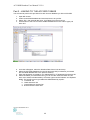
• Click the New surgery button and enter data into as many fields as possible.
• Save the data or add a pathology record and then save.
• To add a new Pathology; at the bottom of the surgery form, click the New pathology
button.
• Enter data into as many fields as possible and click the Add pathology button to save
the pathology data. The data will be permanently saved when you save the surgery
form data.
Editing data
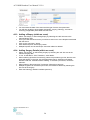
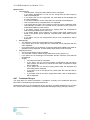
• To edit the surgery data click the Edit link on the right located on the relevant surgery
listing.
• To edit pathology, open relevant surgery and click the Edit link located on the right of
the pathology listing.
• Enter or change data as required.
• Click the Update pathology button to temporarily save the data. The data will be
permanently saved when you click the Update surgery button.
Surgery section
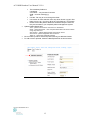
• The Laterality and Date of surgery fields must be completed.
• If you select ‘Partial’ from the Method field (Actual surgery section), the Partial
nephrectomy details section will be displayed. This section will allow you to record
details of the partial nephrectomy.
• If you select ‘Yes’ for the IVC explored field, the Tumour involvement field will be
displayed.
• If you select ‘Yes’ for the Tumour involvement field, a list of involvement levels will be
displayed for recording specifics.
Pathology section
• The Laterality field must be completed.
• If you select ‘No’ for the Limited to kidney field, a list of other involved sites will be
displayed for recording specifics.
• If you select ‘Yes’ for the Molecular markers done field, the Primary and secondary
RCC and Types field will be displayed for recording specifics.
• If you select ‘Multiple for chromophobe Ca.’ from the Types list, the Karyotype result
for Multiple for chromophobe Ca. field will be displayed.
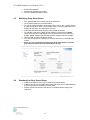
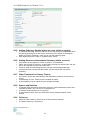
• If you select ‘1 Distant metastasis’ for the M stage field, a list of metastasis sites will
be displayed for recording specifics.
• Auto-population of the T-stage field occurs if all fields in the Involvement and Further
Details sections are completed. If these are not completed the stage can be manually
selected
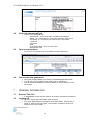
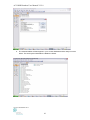
• Staging definitions may be viewed by clicking a ? link. Once clicked, a pop-up window
will open.
Version September 2011
37