1
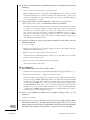
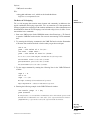
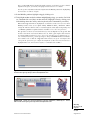
This step creates a selection, crystal, that contains all the atoms in the molecule and
assigns it to the variable crystal. Instead of a molecule ID (which is a number), we
have used the shortcut top to refer to the top molecule. A top molecule means that it is
the target for scripting commands. This concept is particularly important when multiple
molecules are loaded at the same time (see Basic Protocol 9 for dealing with multiple
molecules in VMD).
The result of atomselect is a function. Thus, $crystal is now a function that
performs actions on the contents of the ‘‘all’’ selection.
Obtaining and changing molecule properties with text commands
After you have deÞned an atom selection, you have many commands that you can use
to operate on it. For example, you can use commands to learn about the properties of
your atom selection (number of atoms, coordinates, total charge, etc). You can also
use commands to change its coordinates and other properties. See VMD User’s Guide
(http://www.ks.uiuc.edu/Research/vmd/vmd-1.8.6/ug/) for an extensive list of commands.
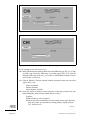
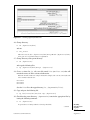
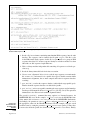
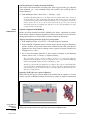
3. Type $crystal num in the Tk Console window.
Passing num to an atom selection returns the number of atoms in that selection. Check
that this number matches the number of atoms for your molecule displayed in the VMD
Main window.
4. We can also use commands to move our molecule on the screen. You can use these
commands to change atom coordinates.
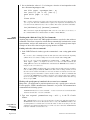
$crystal moveby {10 0 0}
$crystal move [transaxis x 40 degree]
Editing properties of selected atoms
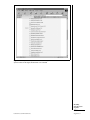
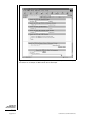
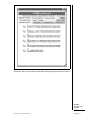
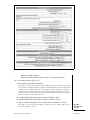
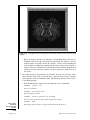
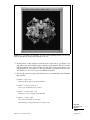
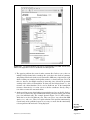
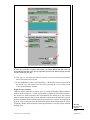
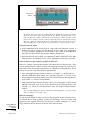
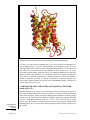
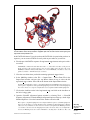
5. Open the Graphical Representation window by selecting Graphics →
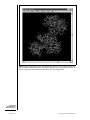
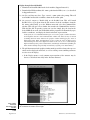
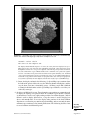
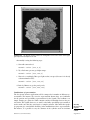
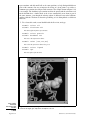
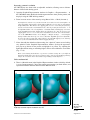
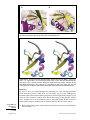
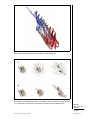
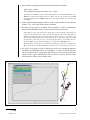
Representations. . . in the VMD Main window. Type in protein as the atom selection; change its Coloring Method to Beta and its Drawing Method to VDW. Your
molecule should now appear as a mostly red and blue assembly of spheres.
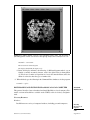
The “B” field of a PDB file typically stores the “temperature factor” for a crystal structure and is read into VMD’s “Beta” field. Since we are not currently interested in this
information, we can use this field to store our own numerical values. VMD has a “Beta”
coloring method, which colors atoms according to their β-factors. By replacing the Beta
values for various atoms, you can control the color in which they are drawn. This is very
useful when you want to show a property of the system that you have computed.
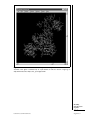
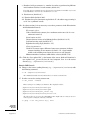
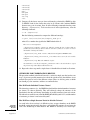
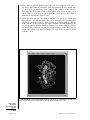
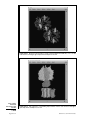
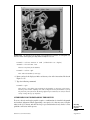
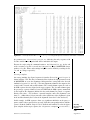
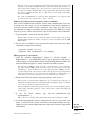
6. Return to the Tk Console window and type $crystal set beta 0.
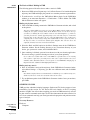
This resets the “beta” field (which is displayed) to zero for all atoms. As you do this, you
should observe that the atoms in your OpenGL window will suddenly change to a uniform
color (since they all have the same beta values now).
You can obtain and set many atomic properties using atom selections, including segment,
chain, residue, atom name, position (x, y and z), charge, mass, occupancy and radius, just
to name a few.
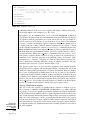
7. In the Tk Console
‘‘hydrophobic’’].
window,
type
set sel [atomselect top
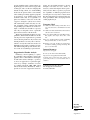
This creates a selection, sel, that contains all the atoms in the hydrophobic residues.
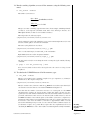
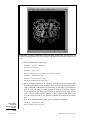
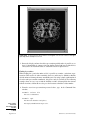
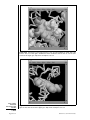
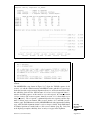
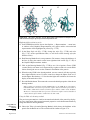
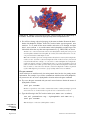
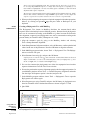
8. Let us label all hydrophobic atoms by setting their beta values to 1: type $sel set
beta 1 in the Tk Console window. If the colors in the OpenGL Display do not get
updated, go to the Graphical Representations window and click on the Apply button
at the bottom.
Modeling
Structure from
Sequence
5.7.25
Current Protocols in Bioinformatics
Supplement 24