1
Mobile Computer MC 75Axex-NI and MC 75A6ex HF-NI
Type B7-A27.-…………
5.4.7
Commissioning
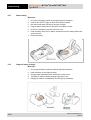
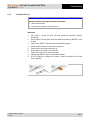
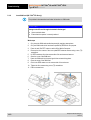
Remove/replace screen protector
The screen protector protects the touchscreen and improves the user friendliness of the
device. With its relatively hard surface, the screen protector offers a mechanical protection
against scratches for example and reduces disturbing light reflections.
ATTENTION
Incorrect handling may cause damage to property!
Use a screen protector so as not to impair the device warranty.
Only use screen protector (Type B7-A2Z0-0016) from BARTEC.
Observe the installation instructions for the screen protector.
Do not use any sharp objects to remove the screen protector!
Work steps
1.
2.
3.
Subject to technical changes.
04/2015
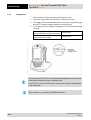
Only remove or replace the screen protector outside the potentially explosive
atmosphere.
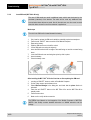
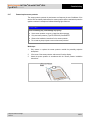
Lift a corner of the screen protector and remove it from the display.
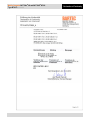
Attach the screen protector in accordance with the “Screen protector installation
instructions”.
31/58