1
gnuplot>
gnuplot>
gnuplot>
gnuplot>
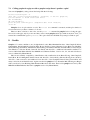
set terminal postscript eps color lw 15 "Helvetica" 20
set out ’a.eps’
replot
set term pop
The command set term pop without a previous corresponding set term push switches the terminal back to the
startup terminal. The same thing happens if you say unset terminal.
Some interactive terminal types (win, wxt, qt) provide a printer icon on the terminal’s toolbar. This tool
prints the current plot or saves it to file using generic system tools rather than by using a different gnuplot
terminal type. That is, the file you get by selecting "save to png" in the print menu will be different than the file
you get from set term png; replot;.
3.3
How do I include my graphs in <word processor>?
Basically, you save your plot to a file in a format your word processor can understand (using set term and
set output, see above), and then you read in the plot from your word processor. Vector formats (PostScript,
emf, svg, pdf, TEX, LATEX, etc) should be preferred, as you can scale your graph later to the right size.
Details depend on which word processor you use; use set term to get a list of available file formats.
Many word processors can use Encapsulated PostScript (*.eps) for graphs. You can select eps output in
gnuplot using the set terminal postscript eps command. Note that it is a good idea to check and
correct the bounding box of the graphs in the eps files (manually or by the fixbb script from gnuplot webpage),
as you have to correct this box for any eps figure produced by whichever program. Some (most?) word
processors do not preview the actual image in the eps file, and you have to add the preview image yourself. You
can use the GSView viewer for this (available for OS/2, Windows and X11), or some Unix ps tool.
Some Windows office applications, including OpenOffice.org, can handle vector images in EMF format.
These can be either produced by the emf terminal, or by selecting ’Save as EMF...’ from the toolbar of the
graph window of the windows terminal.
OpenOffice.org can also read SVG, as well as AutoCAD’s dxf format.
There are many ways to use gnuplot to produce graphs for inclusion in a TEX or LATEX document. Some
terminals produce *.tex fragments for direct inclusion; others produce *.eps, *.pdf, *.png output to be included
using the \includegraphics command. The epslatex and cairolatex terminals produce both a graphics file (*.eps
or *.pdf) and a *.tex document file that refers to it. The tikz terminal produces full text and graphics to a pdf
file when the output is processed with pdflatex.
Most word processors can import bitmap images (png, pbm, etc). The disadvantage of this approach is
that the resolution of your plot is limited by the size of the plot at the time it is generated by gnuplot, which is
generally a much lower resolution than the document will eventually be printed in.
The mif terminal type produces output for FrameMaker.
3.4
How do I edit or post-process a gnuplot graph?
This depends on the terminal type you use.
• svg terminal (scalable vector graphics) output can be further edited by a svg editor, e.g. Inkscape (http:
//www.inkscape.org), Skencil (http://www.skencil.org) or Dia (http://projects.gnome.org/dia/), or loaded
into OpenOffice.org with an on-fly conversion into OO.o Draw primitives.
• PostScript or PDF output can be edited directly by tools such as Adobe Illustrator or Acrobat, or can be
converted to a variety of other editable vector formats by the pstoedit package. Pstoedit is available at
http://www.pstoedit.net.
• The mif terminal type produces an editable FrameMaker document.
• The DXF format is the AutoCAD’s format, editable by several other applications.
• Bitmapped graphics (e.g. png, jpeg, pbm) can be edited using tools such as ImageMagick or Gimp. In
general, you should use a vector graphics program to post-process vector graphic formats, and a pixelbased editing program to post-process pixel graphics.
7